Image Crosses Two Sections

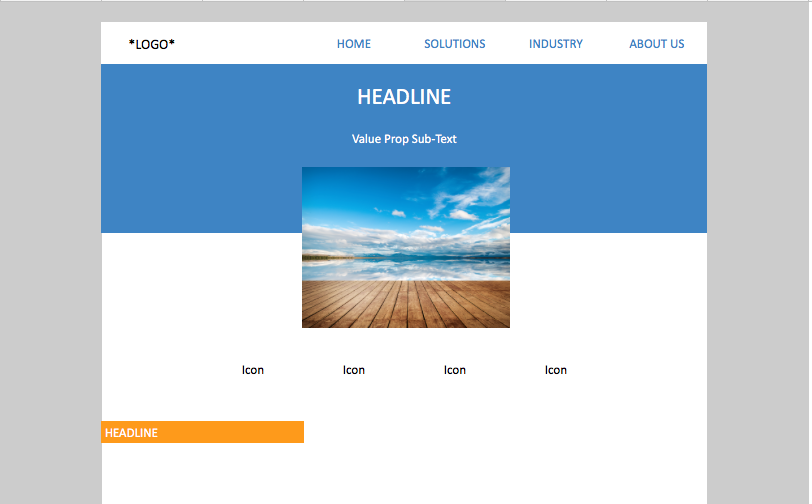
I’m trying to make an image cross through the bottom of section A and top of section B. I’ve attached a mockup as an example (the center image crosses through the blue section into the white).

The only solution I can think of is cutting the image in half and inserting them as two separate images (one at the bottom of section A and other at the top of section B - but I haven’t tested out the responsiveness implications yet).

Thanks in advance.
Hi Anishnagar

Don’t cut the image as you suggested.

Instead for for the blue header and image add a section

In that section add 2 rows

First row: blue background (or for the section) , add the custom headline and the sub text, give it enough bottom padding to create space in the blue for the image

2nd row: white background, add image (center it, give it max width)

Next add negative top margin to the image as much as you need

Problem solved

Cheers Carlo

This topic was automatically closed 10 days after the last reply. New replies are no longer allowed.