Iframed form on mobile not showing the whole

Hello,

I have this kinf od css code for the iframed form on the page:
.resp-container {
position: relative;
overflow: hidden;
padding-top: 56%;
}
.resp-iframe {
position: absolute;
top: 0;
left: 0;
width: 100%;
height: 100%;
border: 0;
}

It works well for the desktop, but on the mobile version, the form is not shown full.

Could you please help me with what I can do to show the whole form on one screen in the mobile version? Like the whole form will be shown at once.

Best regards,
Damira Teppo
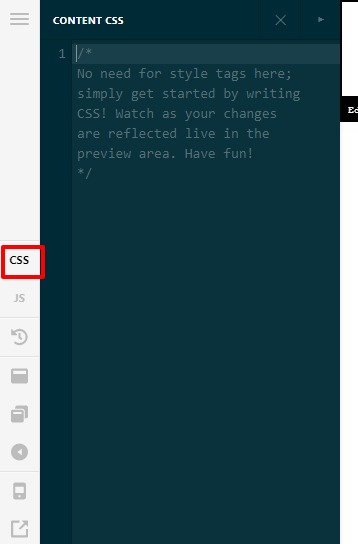
Hi Damira,

Thanks for reaching out.
Regretfully, we don’t offer any support or investigation to the custom codes or related issue, I would suggest you hire a developer who can assist you to do the customization or you can avail of our newly launched service called One, where the customization questions are answered.

Thanks

Hello,

thank you for your answer. Will search for help.

Best regards,
Damira Teppo

Hi Damira,

You’re welcome and if you have any other concerns related to our products, feel free to reach us.

Thank you.

Hello,

thank you for your answer. Now I have set the css code, which helped me to get the mobile view correctly. However, only one page does not show the form at the end of the page correctly, all other do. The css code I put to the theme options - global css, so, probably it should work for all. also all other settings are the same for the problematic page, but mobile version is not showing correctly the iframed form. Do you have any ideas, what it could be? the page is www.collectivecrunch.com.

Hello @DamiraT,

The working code is not found in the Home Page. I would recommend you to copy the code which is working on other pages into the page-specific CSS and check after clearing all type of cache. Please let us know how it works for you.

Thanks

Hello,

yes, placing the code to the page specific css field helped. Thank you for this tip. However, how in this case this page will behave in case of updates or anything? or that is not a problem that the styles were not taken by this page from the global css?

Best regards,
Damira Teppo

Hi Damira,

When there is a theme update, all the custom CSS added in the Theme Options > Custom CSS will always be intact. It will not be overwritten or anything. The same goes for the custom CSS added to a specific page. Nothing will change and will remain on that page.

Best Regards.

This topic was automatically closed 10 days after the last reply. New replies are no longer allowed.