Calendar Widget from Universe ticketing doesn’t show to visitors and doesn’t show on mobile at all.
I saw a similar topic but there was no resolution.
Hello @istandard,
Thanks for asking. 
On my end iFrame and it’s content is displaying fine on desktop and mobile viewports. Please see screenshots. https://cloudup.com/cN6lGfR9IIf, https://cloudup.com/cXK6Hu_iuCc.
Can you please clear browser cache and try loading website again? In case if I am missing something, kindly let me know.
Thanks.
Its not showing. Its under event calendar. In your screenshot its not showing. I disabled that block in the mobile view because at one point I thought it worked on desktop. You’re looking at the iframe under it which is the ticketing embed code. That one is working fine
Hi there, I doubt this is something related to the theme. Most probably it is related to the cache plugins or plugin conflict. The logged in/logged out difference is most of the time related to the cache plugins.
I suggest that you follow the steps below:
- Purge all caches and temporarily disable the cache plugins and test
- Change the theme from X to the default WordPress theme and add the 3rd party widget in question and test the case.
- Install this plugin and clear the transient cache.
- If you use CDN of systems like CloudFlare, temporarily disable them and test
Thank you.
Followed all steps. I do not have a cache plugin installed currently. Switched to the default theme. Plugin still does not show. Installed the transient plugin but I can’t use it. See the attached photo.
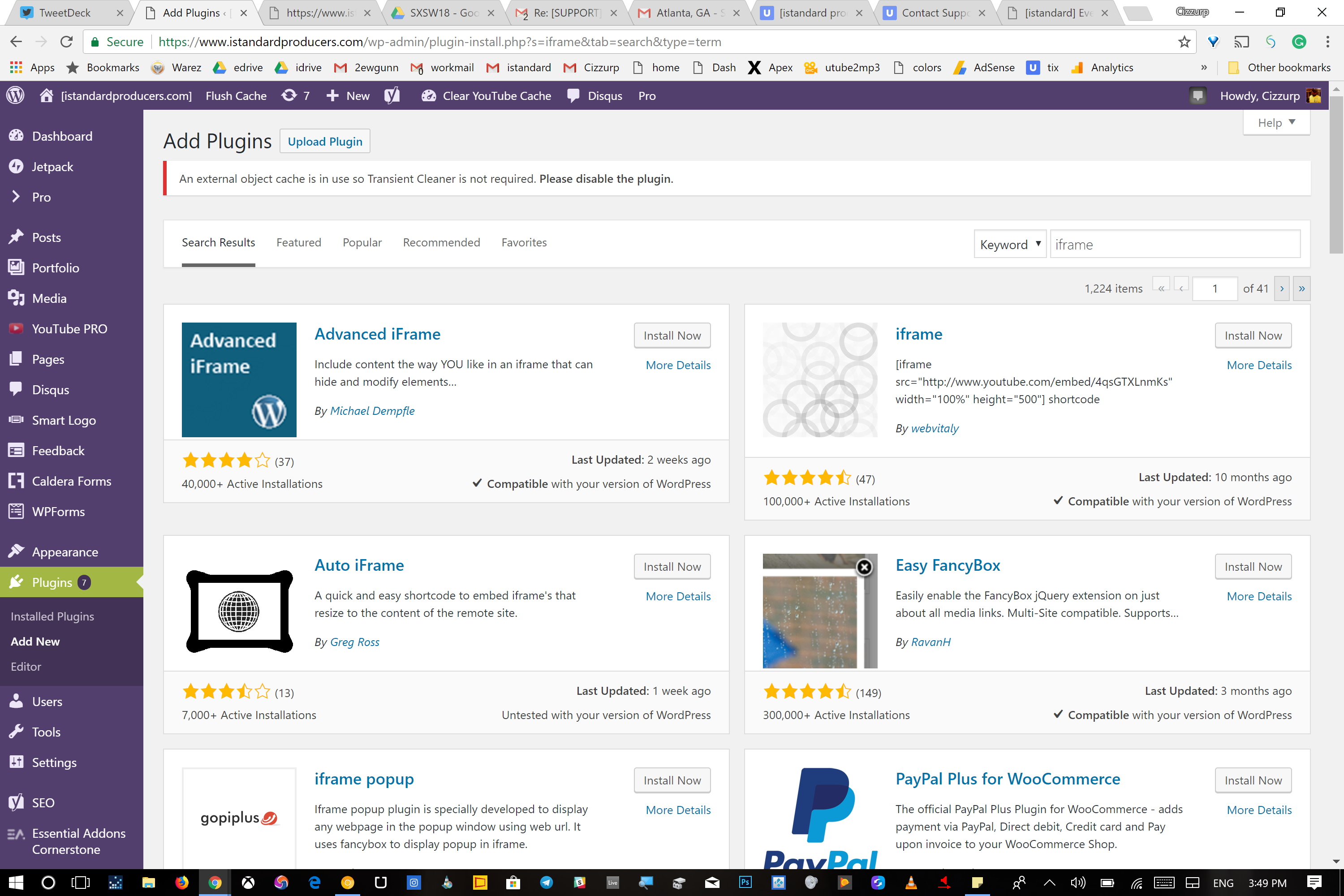
It says An external object cache is in use so Transient Cleaner is not required. Please disable the plugin.
Hey @istandard,
Since switching to the default theme does not solve the issue, the problem is not theme related. Please contact the iframe code provider to investigate the issue in your site. Regretfully, we cannot provide support for third party plugins or scripts as due to the fact that there is simply no way to account for all of the potential variables at play when using another developer’s plugin or script. Because of this, any questions you have regarding setup, integration, or troubleshooting any piece of functionality that is not native to Pro will need to be directed to the original developer.
Thank you for your understanding.
This topic was automatically closed 10 days after the last reply. New replies are no longer allowed.