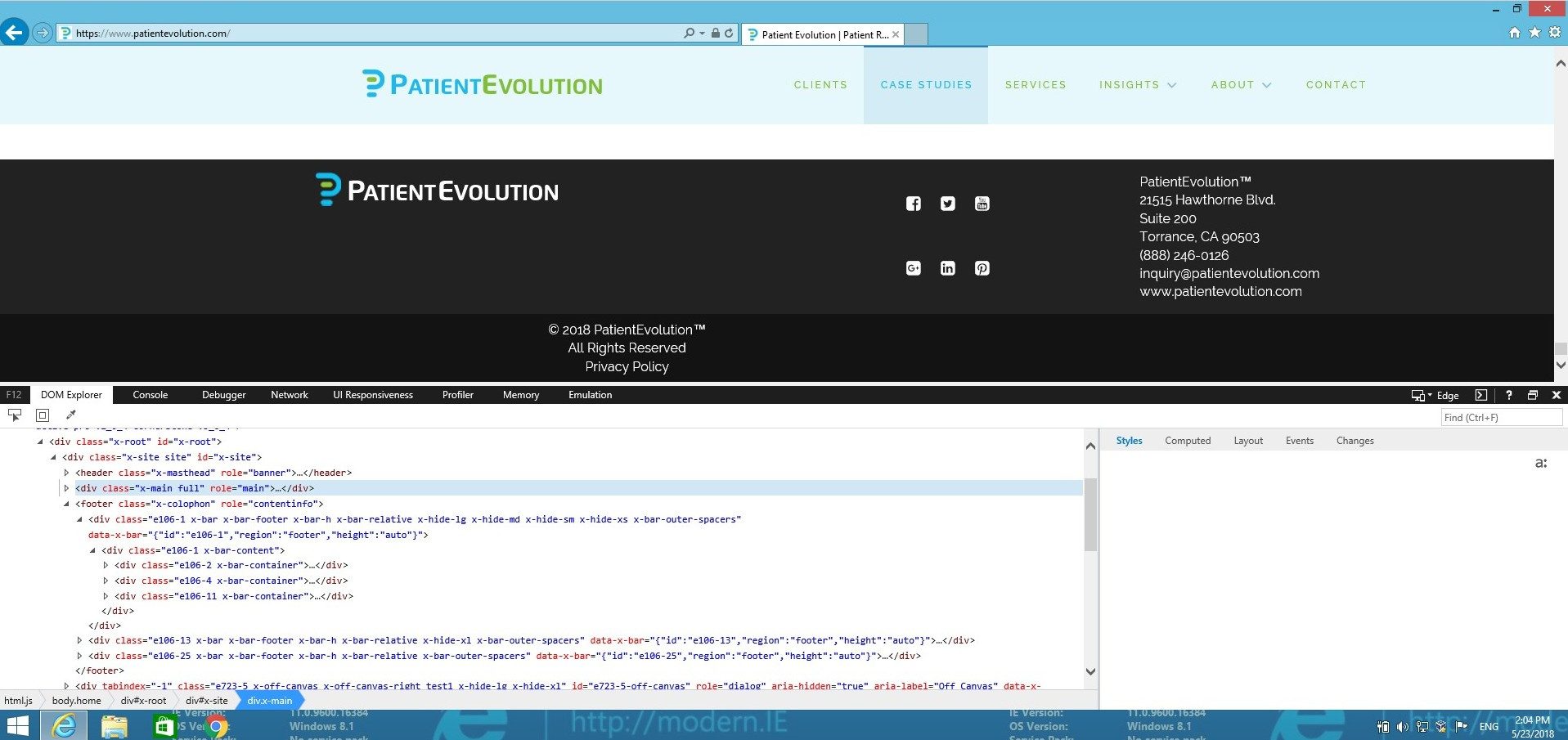
IE 11 Footer Issue on PRO

Hi Team,

Having a footer issue with Pro on IE 11.

I read through this thread: https://theme.co/apex/forum/t/pro-footer-issues-internet-explorer-11-column-box-formatting/9659/6

and implemented the fix that was offered by the staff.

Unfortunately, this did NOT resolve my issue.

The website is : https://www.patientevolution.com

I am not sure where to go from here, so any guidance would be appreciated.

Thanks in advance for your help!
Hi @podii

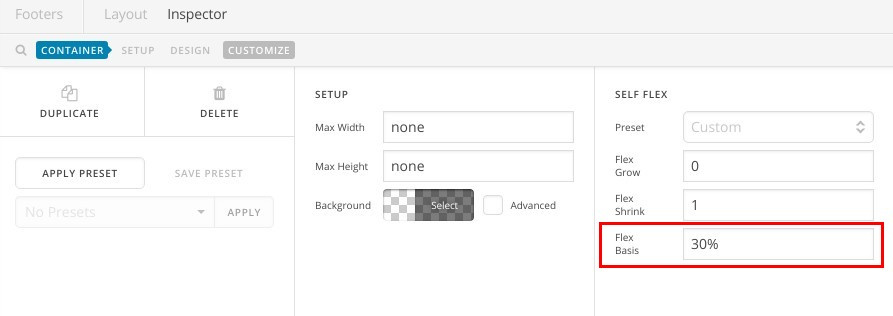
I understand that you have one bar with 3 containers in your footer, please edit each container and make sure that Flex Basis is set to 30% as in this screenshot:

I’ve tested that on IE11 and this is what I got:

Thanks.

Hey @Alaa

Thanks for you reply.

I was able to get the same as you, however, the footer is still broken.

Is there a fix so that the footer will display as is does on Chrome, Firefox, safari, etc?

Hi @podii

I’v checked your website again and I can see you didn’t apply the flex settings I mentioned in my previous reply, you need to do that for every container that has a flex layout as IE 11 doesn’t recognize auto option for flex layout.

After adjusting the percentages correctly, this is how I can see your site in IE11:


And this is in Chrome:


I believe you can adjust the percentages values to achieve a very close look.

Thanks.

This topic was automatically closed 10 days after the last reply. New replies are no longer allowed.