Icons errors when changing content layout right

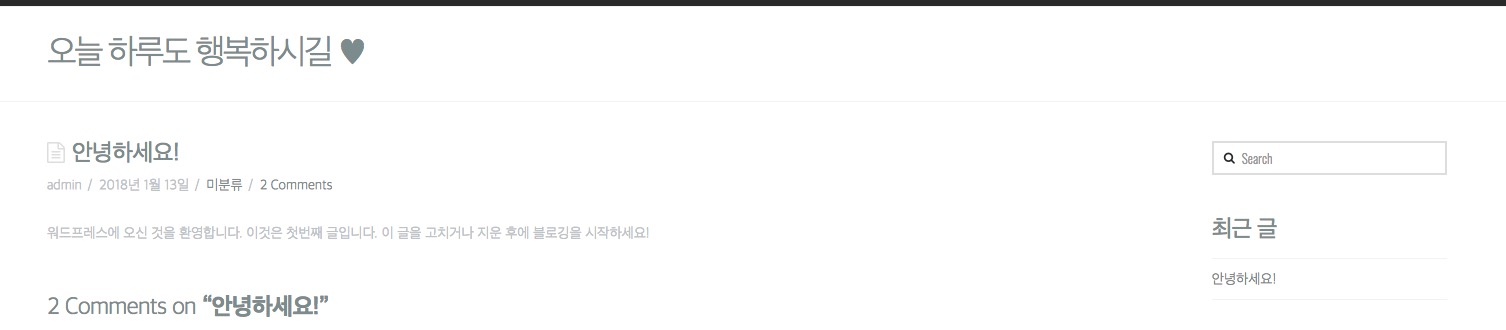
When the content layout is changed to the right, the icon like the screen shot is exposed on the left side of the screen.
How can I modify this part?
If you use the left side of the content layout, it will look like a screen shot.

And I want to change or delete the phrase “The blog”. How do I fix this?

Help. Thank you.
Hi there,

I did not exactly understand what are you talking about regarding the content layout. You can change the layout from X > Launch > Options > Layout and Design but which Icon are you talking about and how you want it to be changed? Is it possible to give us a live link to check?

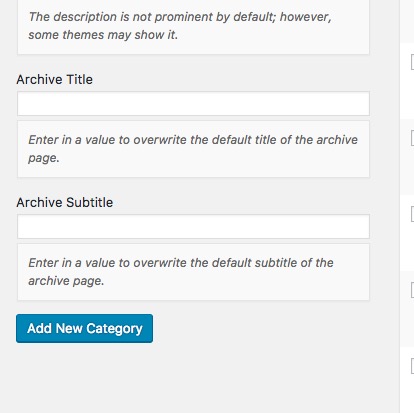
Regarding The Blog you can change it by going to Posts > Categories and set proper name for the Archive Title:

Thank you.

The blog name has changed well.

It’s a document-like icon in the left part of the screenshot.

In concent left layout, the document icon popped up like a screen shot.

I want to edit this part.
my website : babo.tips

Unfortunately, I could not see the page that has the icon you have mentioned go that way to the left. Here is what I see:

Kindly give us the exact URL which you see the problem to follow up and give you proper CSS.

Thank you.

If you click on a recent article, it appears normally.

However, if you press HOME
If you directly access babo.tips
Like the screenshot, the icon moves to the left and grows.

Do you still have problems?

Chrome, Edge Browser, Explorer All browsers have the same symptoms.

If you have a CSS page that you need to provide, please let me know if you mention it directly.

Thank you.

I have deleted the home demo page that was originally in the menu widget and it is in use.

The homepage of the menu currently connected is as follows.

I also attach a screenshot of this part.

Hi there,

Have you positioned your icons in Admin > X > Launch > Theme Options > Renew > BLOG OPTIONS > ENTRY ICON POSITION? You could change that to Standard instead of Creative so you wouldn’t need to change the positioning of your icon.

Thanks!

All issues have been resolved. Thank you

Glad to hear that :slight_smile:

This topic was automatically closed 10 days after the last reply. New replies are no longer allowed.