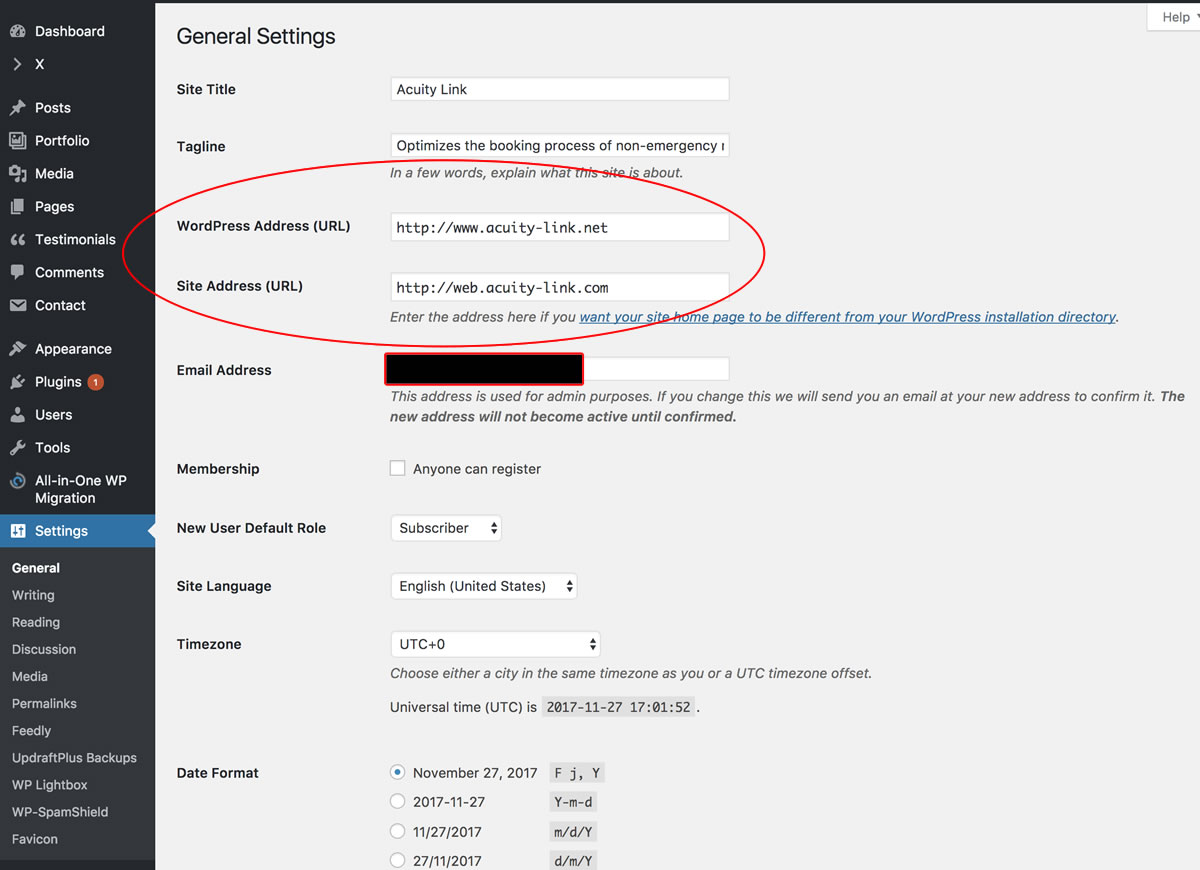
In my site http://www.acuity-link.net, I have set the WordPress address to acuity-link.net and the Site Address to web.acuity-link.com. I have to set it up this way for my client.
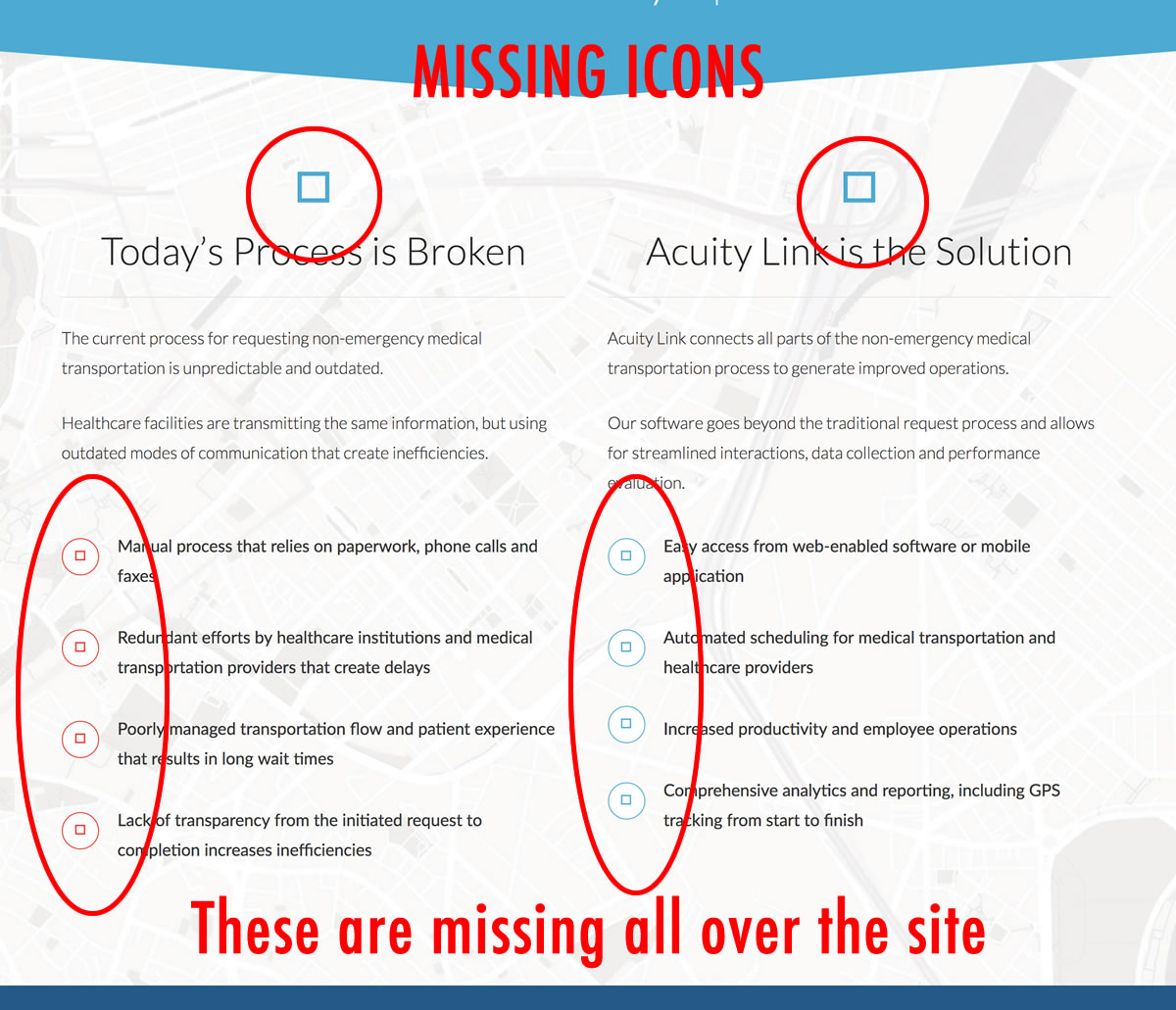
Now none of my icons are showing on the site in the Chrome browser.
I will attach a screenshot of my settings and a screenshot of my missing icons.
Note: The icons were showing up before I changed the Site address to web.acuity-link.com
SITE INFO:
acuity-link.net
WordPress 4.9 running X – Child Theme
Installed Version of X: 5.1.1