Using the Icon stack there lines that separate different sections how can I remove them, thanks!

Using the Icon stack there lines that separate different sections how can I remove them, thanks!
Hi Yezid,
Thank you for reaching out to us. Those are the section borders, please edit your page in Cornerstone, inspect the sections and remove the border by setting the Border option to None (see screenshot)

Let us know how this goes!
This is in Theme Options or where I can’t seem to find it. I edit in Pro thanks!
Hey Yezid,
Please edit your pages in Pro Content Builder and then inspect your sections (see screenshot)
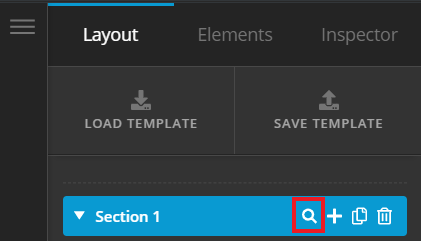
Then scroll down until you find the Border setting (see screenshot)
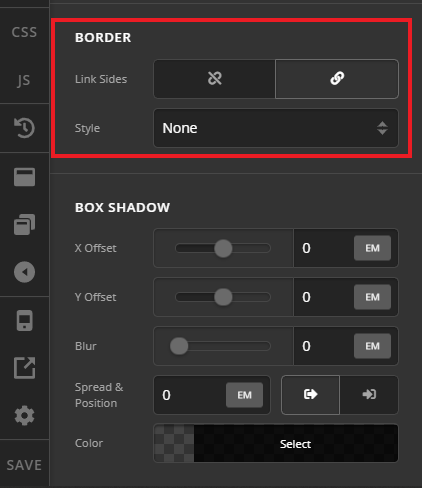
Set the Style option to None to remove the borders from the sections. Hope this helps!
Thank you Nabeel
I’ts currently set to None but it still comes up.
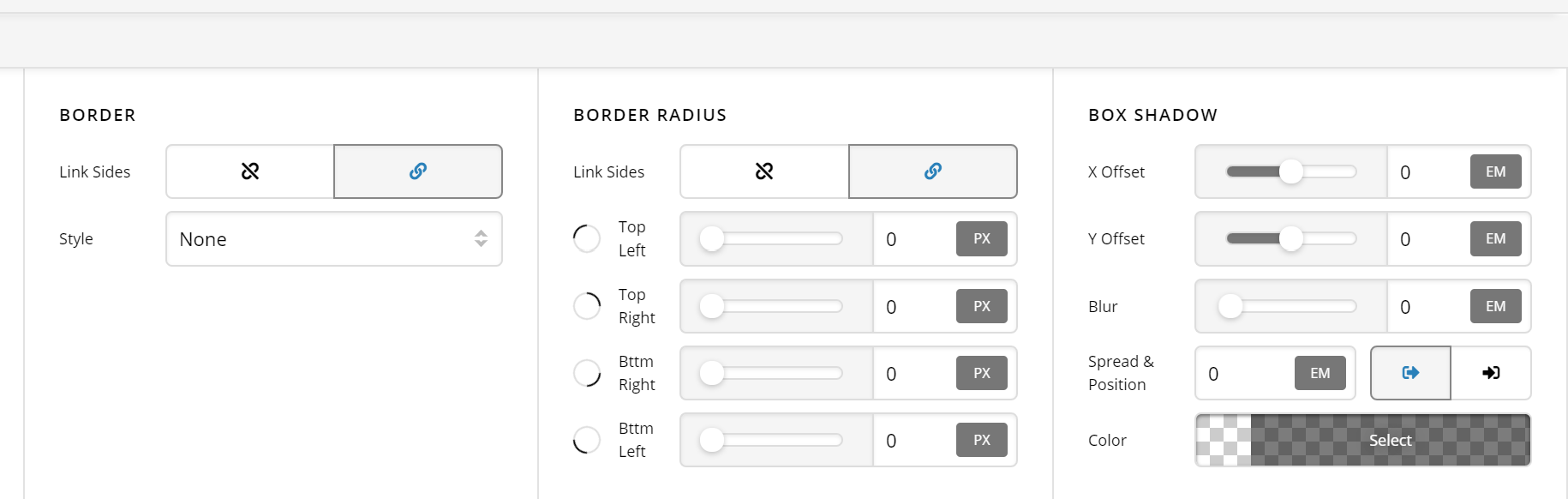
I just added the following css and it seem to work
/* Main Content */
.x-boxed-layout-active .site {
   border:0;
}

/* Topbar */
.x-topbar {
    border-bottom:0;
}

/* Navigation */
.x-navbar {
    border-bottom:0;
}

/* Breadcrumbs */
.x-breadcrumb-wrap {
    border-bottom:0;
}

/* Footer Widgets Area */
.x-colophon.top {
    border-top:0;
}

/* Footer */
.x-colophon.bottom {
    border-top:0;
}Hey Yesid,
It good to know that you have come up a css that resolves your issue.
Don’t hesitate to open another thread if there’s anything else we can help you with.
Cheers.
This topic was automatically closed 10 days after the last reply. New replies are no longer allowed.