Hello Pascal,
Thanks for writing in!
Please be advised that the icons listed on this page: https://demo.theme.co/renew-1/shortcodes/icons/ is already outdated. You may use the shortcode format as a reference though. In order to do that, you can simply follow this steps:
1.) Go to the Font Awesome Cheatsheet (https://fontawesome.com/v5/cheatsheet)
2.) Select which icon you want to use
3.) Take note of the name of the icon
4.) You can use this icon shortcode format: “[x_icon type="icon-name"]”
See the examples below:
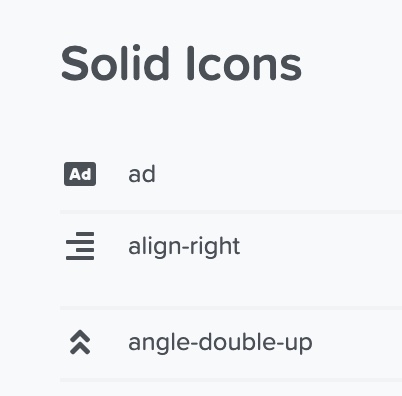
Your icon shortcodes could be:
[x_icon type="ad"]
[x_icon type="align-right"]
[x_icon type="angle-double-up"]
When you insert these shortcode in a text element, it could be like this:
Input your text here! The text element is intended [x_icon type="ad"] [x_icon type="align-right"] [x_icon type="angle-double-up"] for longform copy that could potentially include multiple paragraphs.
Which will then output the icons like this:
Hope this helps.

