Hello,
I imported the Icon demo 5. I have set the layout to boxed. In the demo the menu is on the right hand side. I have set the menu to the top but how can I have the menu full width whilst keeping the content boxed?
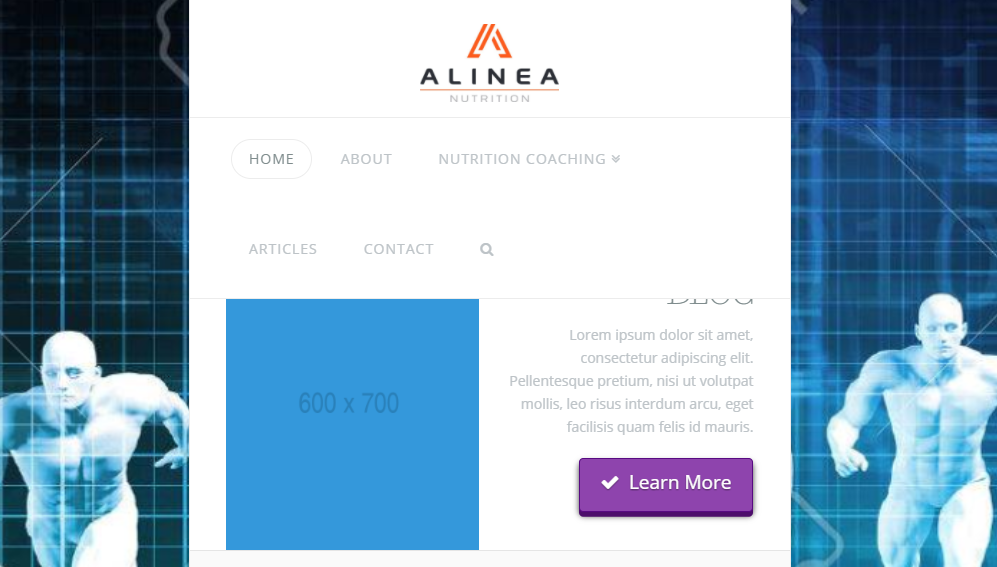
Hello,
I imported the Icon demo 5. I have set the layout to boxed. In the demo the menu is on the right hand side. I have set the menu to the top but how can I have the menu full width whilst keeping the content boxed?
Hi There,
The solution would be to have your layout set to fullwidth and have the following CSS added to theme options CSS
.x-main.full {
    max-width: 900px;
    margin: auto;
}
Hope it helps
Hello,
Thanks for the suggestion but this not work for me.
I am hoping to strecth the menu headers across the pageand keep the content below boxed and therefore narrow.
Thanks
Hi There,
Thanks for writing in! To assist you with this issue, we’ll first need you to provide us with your URL. This is to ensure that we can provide you with a tailored answer to your situation. Once you have provided us with your URL, we will be happy to assist you with everything.
Thank you.
Hi Justin,
From your current setup, we can remove maximum width for menu containers using CSS.
.x-navbar-inner > .x-container.max.width {
    max-width: none; /*Reset maximum width for menu container only*/
    width: 100%; /*Reset default 88% site container width. Remove this line if not needed*/
}
This topic was automatically closed 10 days after the last reply. New replies are no longer allowed.