I want to ensure an images fills a container

I am using Pro and I want my images to fill the container. The image is way bigger than the container but seems to stay in the same proportions and leaves a white space when your move the site. If this is CSS can you please run me through step by step how to add it and if I need to change anything like the name of the image etc.

The website is http://97ad1dc9c6.testurl.ws and is the images half way down underneath the Transform your business and goes white at about laptop size.

Thanks Nick
Hi Nick,

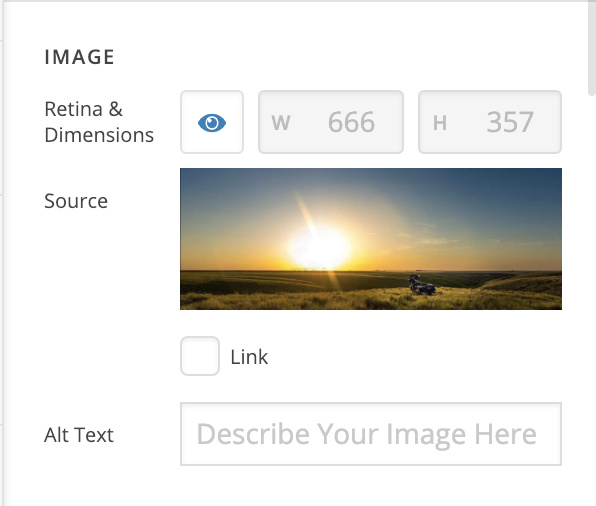
Please try turning off the Retina option of your image:

Hope it helps :slight_smile:

Hi @thai,

I have done that and it didn’t work. It still has white space underneath when you make the screen smaller. Please see the screenshots attached.

Thanks
Nick

Hi Nick,

That is actually normal for the images depending on their ration. Since the image fills out 100% of the width of its container, its height will adjust accordingly.

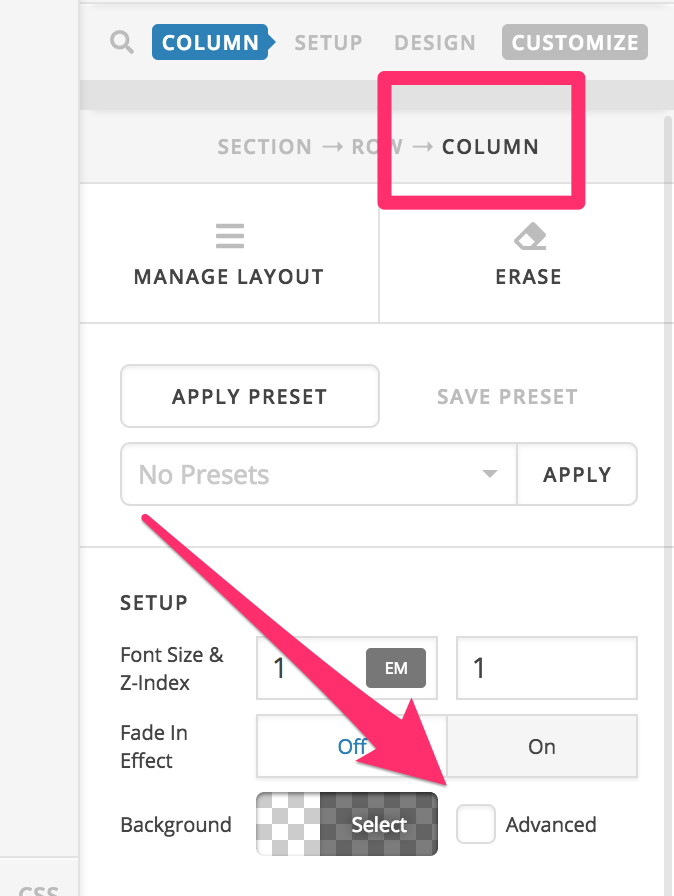
Try setting the images as a background image to the columns instead of adding them as an image element in the column:

Hope this helps.

This topic was automatically closed 10 days after the last reply. New replies are no longer allowed.