I want a single image to open in a Lightbox

Hi there,

I feel like such a noob now…but I just want an image to open in a Lightbox. Have been trying for a few hours (lol) now and can’t get it to work. It’s supposed to be a basic feature, but I really need some help. I use the image drag & drop feature in customizer in X Pro. What do I do?
Hi There,

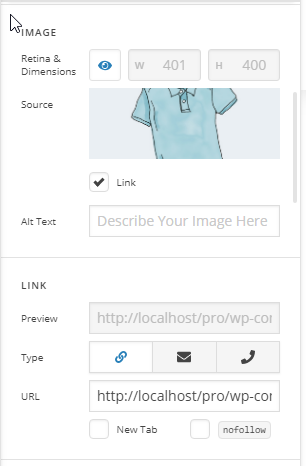
Please activate the link of your image, the link should be linked to the source of image:

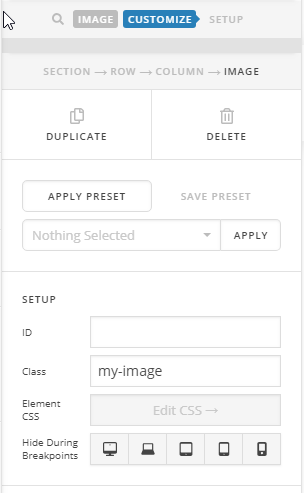
Then assign a class to your image. E.g.: my-image

After that add this lightbox shortcode to the text element:

[lightbox selector=".my-image" deeplink="true" opacity="0.875" prev_scale="0.75" prev_opacity="0.75" next_scale="0.75" next_opacity="0.75" orientation="horizontal" thumbnails="true"]

For more information about the lightbox shortcode, please take a look at this: http://demo.theme.co/integrity-1/shortcodes/responsive-lightbox/.

Hope it helps :slight_smile:

1 Like

Thanks a milion! Wish this would be just a ‘check-box option’ in an image :slight_smile:

1 Like

You’re most welcome! The lightbox is no longer part of the builder (It was part of X shortcodes when cornerstone is not yet available). It has to be called manually and through shortcode.

This topic was automatically closed 10 days after the last reply. New replies are no longer allowed.