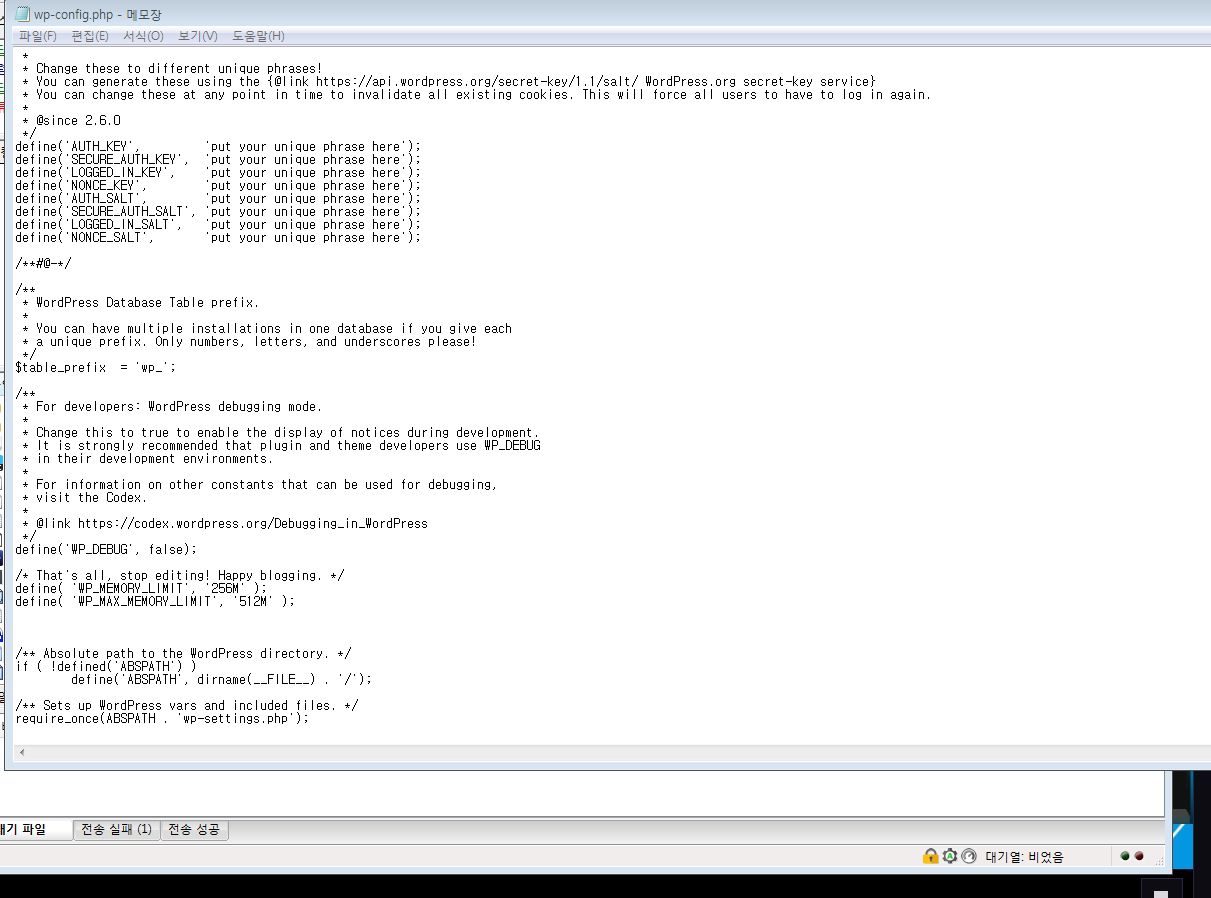
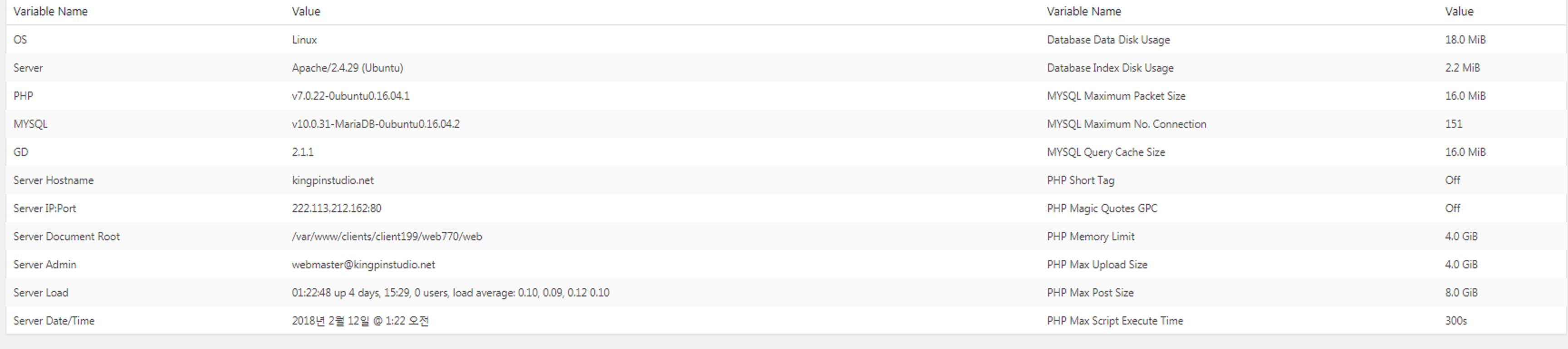
I have problem about theme options

i can’t speak english well. please understand me^^

i have problem “The preview was unresponsive after loading. This is most often related to a plugin conflict or aggressive page cacheing”

i searched forum and many people say that “We do recommend PHP v5.6.32 or higher, memory limit 256 or higher and max script execution time 120 or higher.”

so i install wp-serverinfo and insert code too. but i have still problem. please help me.

define( ‘WP_MEMORY_LIMIT’, ‘256M’ );
define( ‘WP_MAX_MEMORY_LIMIT’, ‘512M’ );

Hi there,

Thanks for writing in.

It’s due to google tag embed codes that you added and it also affect other javascript in your page. And if you notice, this line appears on top of your page

https://www.googletagmanager.com/gtag/js?id=UA-48098010-3

And it shouldn’t appear there. And for the meantime, please disable all other plugins while testing it. I see a bunch of codes which may also contributing to the issue. But please remove all the embed codes, it’s more important.

Thanks!

um… i didn’t add certain code in my website. i just install plugins. i didn’t know about “https://www.googletagmanager.com/gtag/js?id=UA-48098010-3”. how did you know it? you said line is top of my page… but where?;;

and i test my 50 plugins Respectively. and i find its cause. when i disable plugin “Autoptimize”(that is a relief that plugin starts from “A”^^), it has no problem. now i feel better. thank you so much!! but it is downloaded over 500000. so i think it is fair popular plugin. hmm… little confused. Is that plugin just strange thing?

ahh if you are okay, can i ask you one more thing? i bought X theme few weeks ago and themeforest tell me “6 month support”. then… can’t i ask a question here or facebook 6 months later?

Hi there,

If you are interested in using the Autoptimize plugin you need to exclude all the Cornerstone and the Theme assets (Including CSS and Javascript files) so that the plugin does not minify those files. The assets of our theme are already minified and if the plugin tries to minify again it will have double minification effect which will cause the problem.

Themeforest does have that rule in place, at the moment our support has no time limit and you will get support even if the 6 months period passes.

Thank you.

aha. then i don’t have to use that plugin maybe? it is good. it means i can use less plugin for my blog.

ohhh~ your support is very very nice. thank you so muchhhh

Hi There,

Yes, I would recommend avoiding minification plugins as they tend to bring more harm then benefits to X :slight_smile:

Thanks for your kind words!

This topic was automatically closed 10 days after the last reply. New replies are no longer allowed.