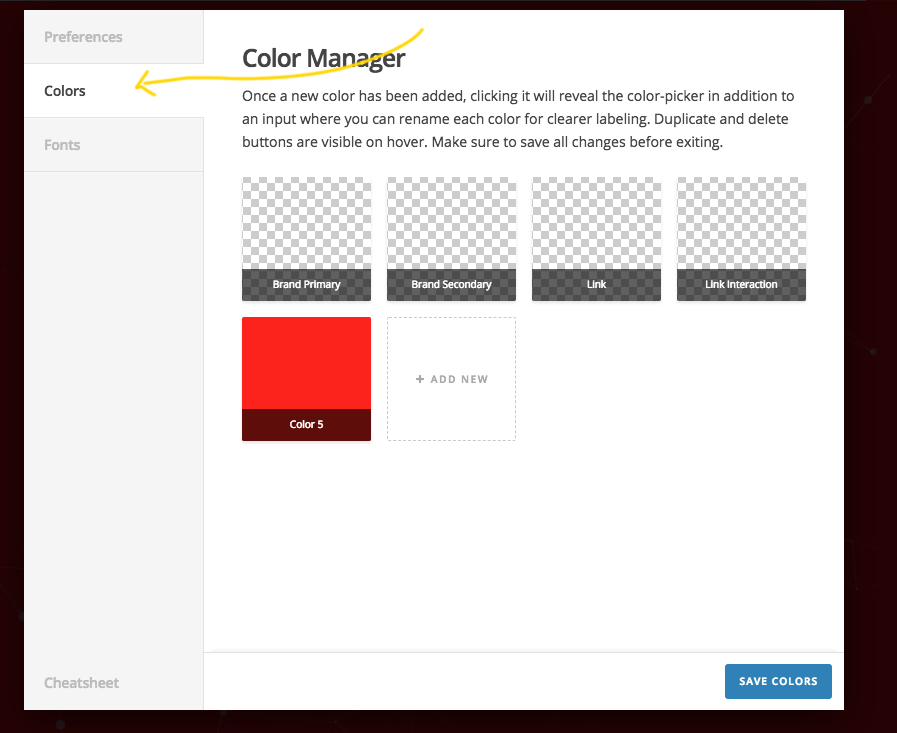
I can't find where to set the 'colors' or 'fonts' in the updated version of X Theme!

Hi, I can’t find where to set the ‘colors’ or ‘fonts’ in the updated version of X Theme! They used to be in the ‘X’ drop down in the dashboard and then again within Cornerstone, but I can’t find them anywhere - I’m probably staring right at them! Hope you can point me in the right direction.

Thanks!
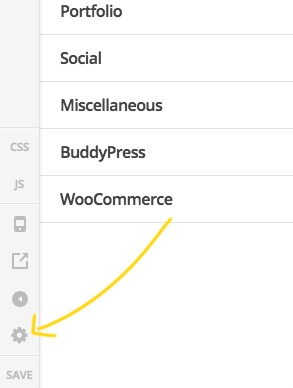
Ah, I’ve just found it! It’s now part of the Customiser and you need to click on the cog!

Is it possible to delete a post at all?!!

Thanks!

Hi There,

Thanks for writing in!

The color option is Available in X-> Theme option click on the Cog icon in the left bar.

It will open a popup, where you will find the color template.

After creating the color template you can now see it in cornerstone.

Hope this helps!

This topic was automatically closed 10 days after the last reply. New replies are no longer allowed.