Here I will add the link an image, if someone could help me please, I want the bottom smaller and below the image!

Hi Nasha,
Thank you for the screenshots and the URL.
To move the button below the image, please inspect the column. On Setup tab, set FLEXBOX LAYOUT TO ON
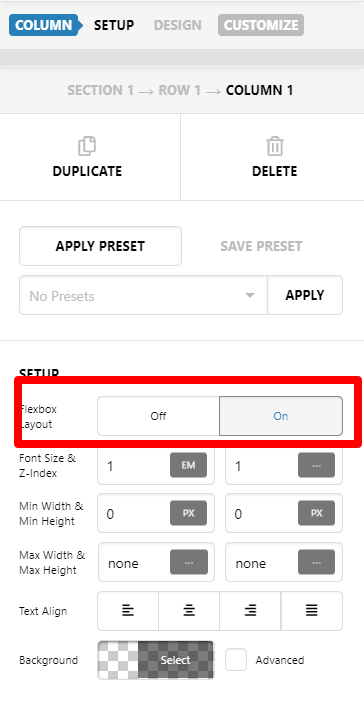
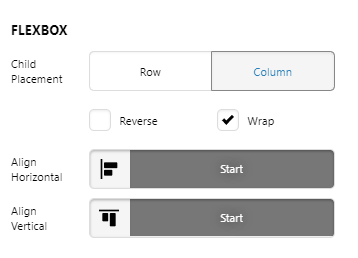
Then to align the all those element inside the column, please check FLEXBOX settings. Adjust to your preferred alignment
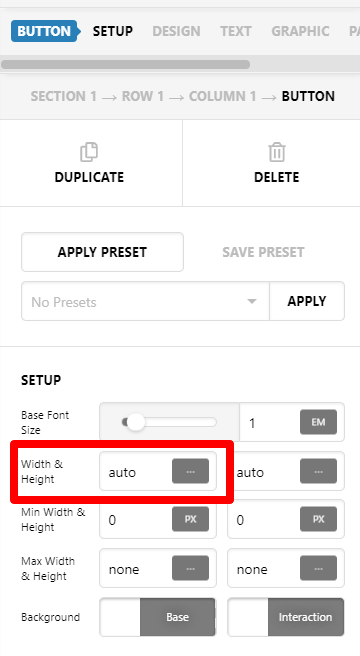
To make the button smaller, please inspect the button and reduce current 40% width settings. You may set it to auto:
For more detailed guidance, please check our documentation.
Hope this helps.
It worked! thanks
Glad it worked.
Cheers!
This topic was automatically closed 10 days after the last reply. New replies are no longer allowed.