Hi
Is there a way to set all hyperlinks and clicked links throughout the website to just have the standard blue links?
https://www.commissionit.co.uk
if i have to add to every specific page in the css whats the code please?
Hi
Is there a way to set all hyperlinks and clicked links throughout the website to just have the standard blue links?
https://www.commissionit.co.uk
if i have to add to every specific page in the css whats the code please?
Hey Amin,
Yes. Please go to X > Theme Options > Typography and change the Site Links color.
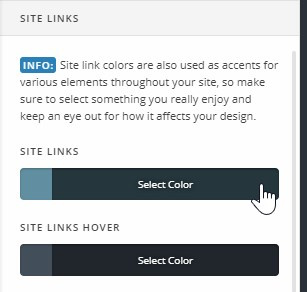
Just note that it applies only to generic links. Special links like the Header and Footer menu links are not included. The Header Navbar links does have it’s own option in Theme Options > Header.
To style links, please learn from https://www.w3schools.com/css/css_link.asp. To apply to specific pages, you need to put the CSS in the Content CSS if you’re using Cornerstone in your page. Otherwise, you’ll need a third party plugin to put your CSS per page.
Thanks.
This topic was automatically closed 10 days after the last reply. New replies are no longer allowed.