Hello my wonderful X-themers! I was wondering if you could help me make this background:
The background for the 5th panel (subjects we offer).
Thank you!
Hello my wonderful X-themers! I was wondering if you could help me make this background:
The background for the 5th panel (subjects we offer).
Thank you!
Hey Andrew,
To do that, please add this code in X > Theme Options > CSS:

@-webkit-keyframes Gradient {
	0% {
		background-position: 0% 50%
	}
	50% {
		background-position: 100% 50%
	}
	100% {
		background-position: 0% 50%
	}
}

@-moz-keyframes Gradient {
	0% {
		background-position: 0% 50%
	}
	50% {
		background-position: 100% 50%
	}
	100% {
		background-position: 0% 50%
	}
}

@keyframes Gradient {
	0% {
		background-position: 0% 50%
	}
	50% {
		background-position: 100% 50%
	}
	100% {
		background-position: 0% 50%
	}
}
Then edit the page in Cornerstone, edit the section settings and add this code to the section’s Element CSS:
$el {
  width: 100wh;
	height: 90vh;
	color: #fff;
	background: linear-gradient(-45deg, #EE7752, #E73C7E, #23A6D5, #23D5AB);
	background-size: 400% 400%;
	-webkit-animation: Gradient 15s ease infinite;
	-moz-animation: Gradient 15s ease infinite;
	animation: Gradient 15s ease infinite;
}
Please make sure that the section’s background settings in set to transparent.
Kindly note that since this is a custom code that changes the default behavior/display of the theme, you will be responsible to maintain or update the code in case you require further changes or if the code stops working in future updates. If you are uncertain how to proceed, it would be best to get in touch with a developer.
Hope this helps.
Incredible! Except I can’t find a way to add to the section’s Element CSS - it doesn’t seem to offer the option to add Element CSS:
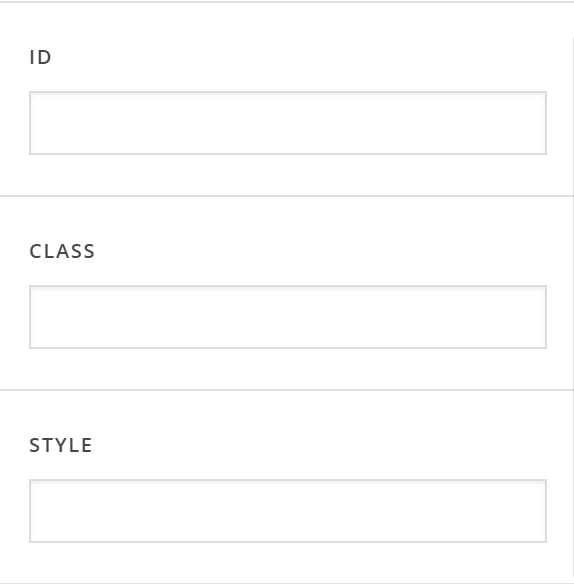
Look forward to hearing back! Sorry I’m such a n00b 
Hi Andrew,
It looks like you are using a Classic Section so what you can do is, you can assign an ID to the section then add this code to the Global CSS:
#the-id {
    width: 100wh;
	height: 90vh;
	color: #fff;
	background: linear-gradient(-45deg, #EE7752, #E73C7E, #23A6D5, #23D5AB);
	background-size: 400% 400%;
	-webkit-animation: Gradient 15s ease infinite;
	-moz-animation: Gradient 15s ease infinite;
	animation: Gradient 15s ease infinite;
}
You may change the-id in the code above to the ID that you assigned to the section.
Hope this helps.
Dear Wonderful Jade,
Thank you so much for the help! It looks incredible now.
Unfortunately…the height stays at 90vh when on mobile (i.e. the background isn’t responsive)…so can’t use on mobile.
Is there a way to make it responsive or specify a different height for different devices?
Thank you sincerely,
Sir Andrew of X Theme
Hi Andrew,
It is actually not necessary to have height in the section. If you remove the height css code, the height of the section will depend on the contents of the section.
However, if you want to adjust the height through CSS, you can still do so with custom CSS. Please try:
@media (max-width: 480px) {
    #the-id {
        height: auto;
    }
}
Hope this helps.
Jade, if I wasn’t married to the game, I would propose to you right now.
Incredible work - much appreciated. Peace & love to you and your family
We are delighted to assist you with this.
Cheers!
This topic was automatically closed 10 days after the last reply. New replies are no longer allowed.