I am trying to change the way that blog posts are viewed but i am unable to edit my blog page in the same way i can edit my home page. I basically just want to remove the preview text and make them all display in one column instead of two. thanks for your help 
Hello Laura,
Thanks for writing in!
I checked the website and one of the website is having blog page. I see it’s having single column layout. I think with preview text you are referring to post excerpt (please correct me if I am wrong).
You can use following CSS under X > Theme Options > CSS:
.entry-content.excerpt {
    display: none;
}
To change the column layout, same can be done from X > Theme Options > Blog > Columns.
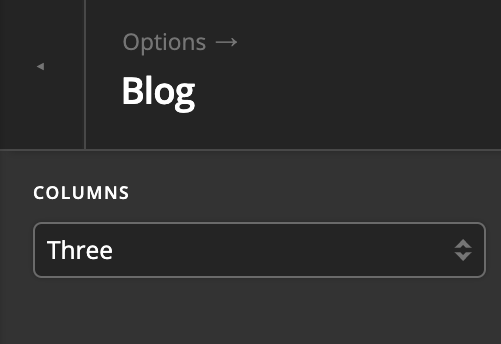
1- I have found the proper CSS code selector using the Chrome browser Developer Toolbar: https://www.youtube.com/watch?v=wcFnnxfA70g
2- For the CSS code itself, I suggest that you get started with this tutorial: https://www.youtube.com/watch?v=yfoY53QXEnI
Thanks.
oh nice, I was actually able to solve both of these issues through x> Theme options > blog
Thanks so much, sometimes I have trouble navigating the theme editor but you guys are always quick to help!
We are delighted to assist you with this.
Cheers!
This topic was automatically closed 10 days after the last reply. New replies are no longer allowed.