Hi
Is there a way to use a button and not Content Area Modal element as I want to maintain look of the button and not the hamburger that the content modal uses?
Thanks!
Christina
Hi
Is there a way to use a button and not Content Area Modal element as I want to maintain look of the button and not the hamburger that the content modal uses?
Thanks!
Christina
Hello Christina,
Thanks for writing in!
With content area modal element, you can actually style the button and not just seeing the hamburger icon. You can do that by going to Content Area > Toggle tab.
1.) Set the width and height to auto.
2.) Add some padding and adjust the border radius:
3.) Disable the Graphic Setup option.
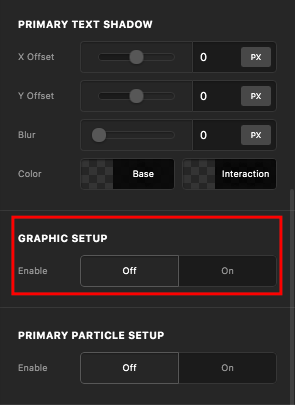
4.) And lastly, enable the Text Setup and insert your button text.
Hope this helps.
Incredibly helpful - thank you! I have many of these. Is there a way —right from the page I am working on—to save this element as a global block, so I can use on other pages? AND how to make it responsive most importantly? On mobile it is completely cut-off. Not responsive.
Thanks so much for your great support.
Christina
Hey Christina,
Regretfully, there’s currently no way to make an element a Global Block. You first need to save the section where the Content Area Modal is as a template then you need to create a new Global Block and load the newly saved page template.
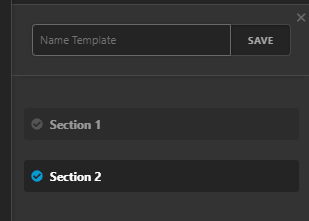
Regarding your responsive concern, what area is not responsive? If you mean the toggle’s text, please try the solution shown in the following video.
If not, please give us a screenshot of the issue and the URL of the page.
Thanks.
The content is a video and it gets cut-off in both vertical or landscape. I think we will move in a different direction, but it would be good to know for future use. It is a cool module.
Thank you!
Hi Christina,
Thank you for your feedback.
Best.
This topic was automatically closed 10 days after the last reply. New replies are no longer allowed.


