I am using loco translate, but it doesn´t work.
Hello There,
Thanks for writing in! To translate Email Forms with Loco Translate plugin, you start by going to Loco Translate > Plugins and select Email Forms. Since this plugin does not have .pot file, you will need to create a template first. Save the template, you create new language and start translating the keywords.
Hope this helps.
Hi,
I already did that, but the plugin appers translated. It says" Suscríbete a la newsletter" in the page “https://elinformador.org/suscripcion”, but i can´t change that text (i haven´t translated that text yet).
Hi There,
Do you mean, you have not translated it yet on this screen?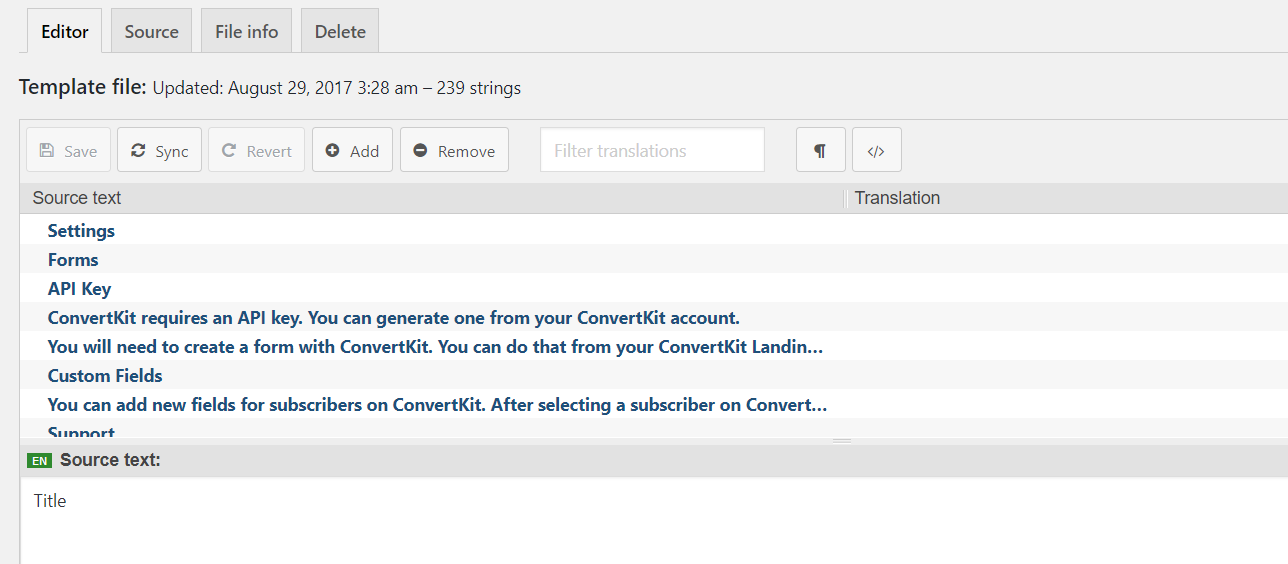
Would you mind providing us with login credentials so we can take a closer look? Please provide following information:
Set it as Secure Note
- Link to your site
- WordPress Admin username / password
All the best!
I had not translated on that screen, because that element won´t show that text.
Hi There,
Unfortunately, I can’t access your site. Please check in with your hosting.
Could you try again?
Hello Ignacio,
I am another staff and I still get the same response in my browser:

Please check out your WP Site Url settings.