Hello!
I was wondering how to remove the graphics (circled in red) from the menu?

I disabled the graphics from the SHOP tab, but it didn’t seem to work…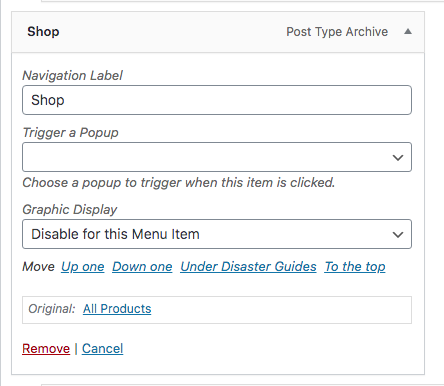
Thanks for your help!
-Nadia
Hello!
I was wondering how to remove the graphics (circled in red) from the menu?
I disabled the graphics from the SHOP tab, but it didn’t seem to work…
Thanks for your help!
-Nadia
Hey Nadia,
There’s no controls for that because it should really be there for the website users to know that there’s more items to view under the parent menu.
If you wish to proceed removing it (not recommended), please add this override code in WP Admin > X > Theme Options > CSS.
 .x-navbar .desktop .x-nav li>a>span:after {
     display: none;
 }
Hope that helps.
I see… Is there a way to change the graphic to one arrow instead of a double arrow?
Hi Nadia,
Yes, it is possible. Please kindly replace the code that my colleague suggested to:
 .x-navbar .desktop .x-nav li>a>span:after {
     content: "\f107";
 }
That will change the double arrow to a single one.
Thank you.
Thank you! I changed it and it looks much better.
Thanks for your time!! 
This topic was automatically closed 10 days after the last reply. New replies are no longer allowed.