I would like to remove the sort portfolio option on the project page attached here. I would like to have a sentence or two instead to replace it Is that an easy fix? Thx!
Hey @galatia,
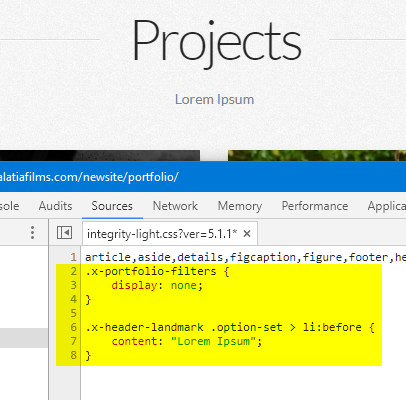
That could be achieved using simple CSS. Please add this code to Appearance > Theme Options > CSS then change the content within the double quotes.
.x-portfolio-filters {
    display: none;
}

.x-header-landmark .option-set > li:before {
    content: "Lorem Ipsum";
}
Please note that we’re using custom code for this which is not a part of our support service. The code only serves as a guide. Issues that might arise from the use of it and further enhancement would be outside the scope of our support.
Thanks.
2 Likes
Thank you for the heads up on the coding. You and your team have sincerely gone above and beyond the call of duty every time. I’m about done with the website and only needed a few short snippets of code which you kindly provided. Thank you sir, you’re truly a scholar and a gentleman! The experience has been amazing, I will be building other webs and getting new licenses and letting everyone know how great this product is!
That is an honor to serve our customers and we hope to see you continue your business with us and be the part of Themeco family 
Thank you.
1 Like
This topic was automatically closed 10 days after the last reply. New replies are no longer allowed.