How To Remove SIdebar Widget from Homepage

Hello I wanted to find out how to remove the sidebar widget from just the homepage. I tried using the following:

}.single-course .x-main.left {
width: 100% !important;
}
.single-course aside.x-sidebar.right {
display: none !important;
}

That only moved the widget to the bottom of the homepage. I also have a lot of spacing between the html code and the text. How do I remove some of this space?

the site is LegendaryStrength.com
Hi @legendstrength,

Thank you for reaching out to us. To remove the sidebar from the homepage only you can add the following code in the Theme Options > CSS:

.home .x-sidebar {
    display: none !important;
    float: none !important;
}

The space between you content I see is probably due the the iframe you have in your content. Please remove the iframe from your content and see if that helps. You can also make use of the following code to reduce spacing between the content:

.home .content p {
    margin-bottom: 5px;
}

Let us know how this goes!

Thank you! Also, how do I remove the “Leave A Comment” box from the homepage?

Hi Logan,

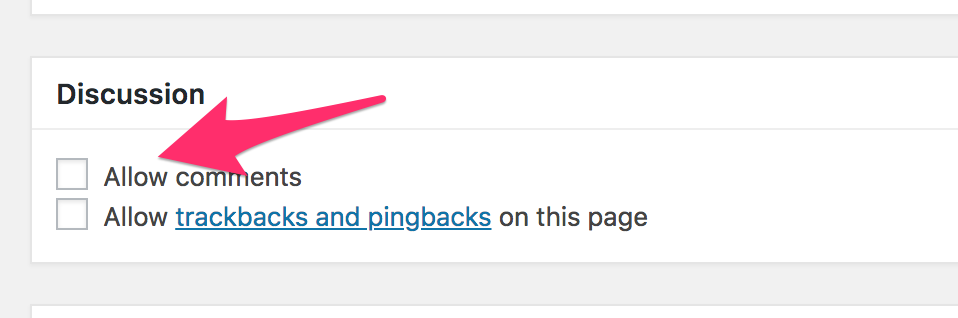
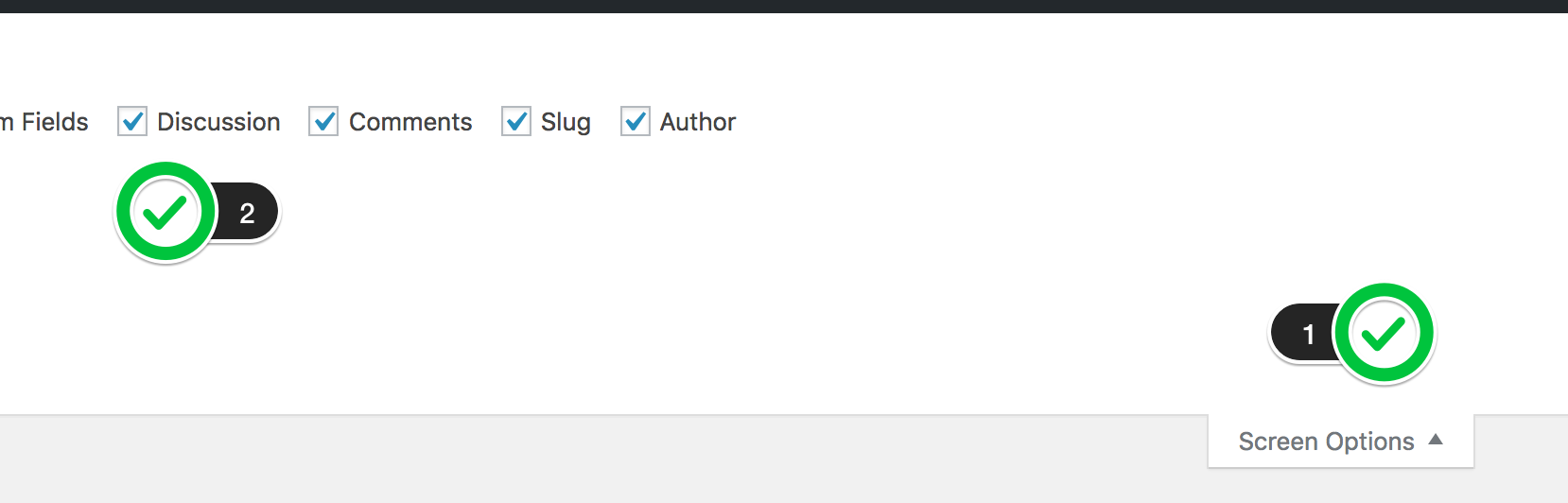
Please edit the homepage and on the top right part of the page, click on Screen Options and make sure that Discussion is enabled.

Scroll down the page and you should see the Discussion box, disable Allow comments and save the page.

Hope this helps.

Thanks, it helped a lot! I’m now stuck on something else. On my previous page I had a widget that displayed disclaimers and privacy policies and I’m not sure how to add it to this current site. Any insight would be helpful.

Thanks!

@Jade

Hey Logan,

I’m sorry but we’re not sure how your widget was displayed previously and how and where you want it displayed.

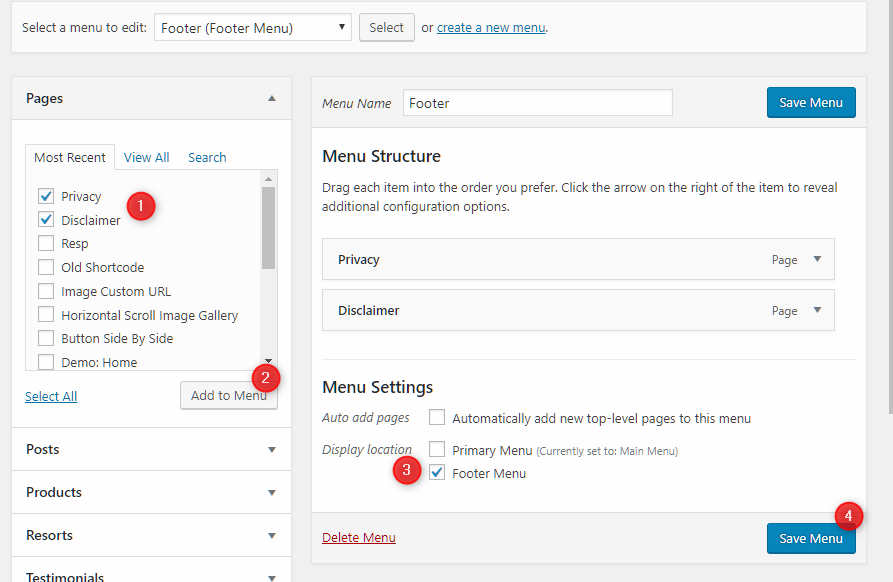
If you want them displayed in the footer (see the Assign Menu area), you can go to Appearance > Menus and create a new menu and add in your Disclaimer and Privacy pages to it.

Hope that helps.

@christian_y

Thank you for your response. So in the previous theme I had on my site, I used a widget for the footer. How do I use the widget for the footer on the current theme?

Hi Logan,

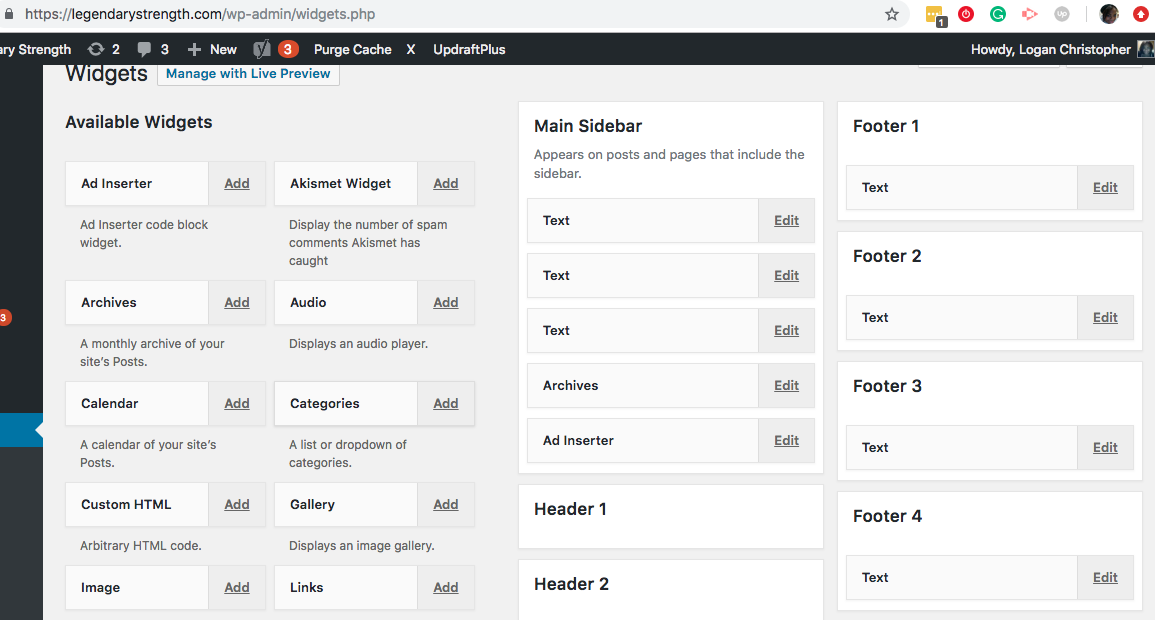
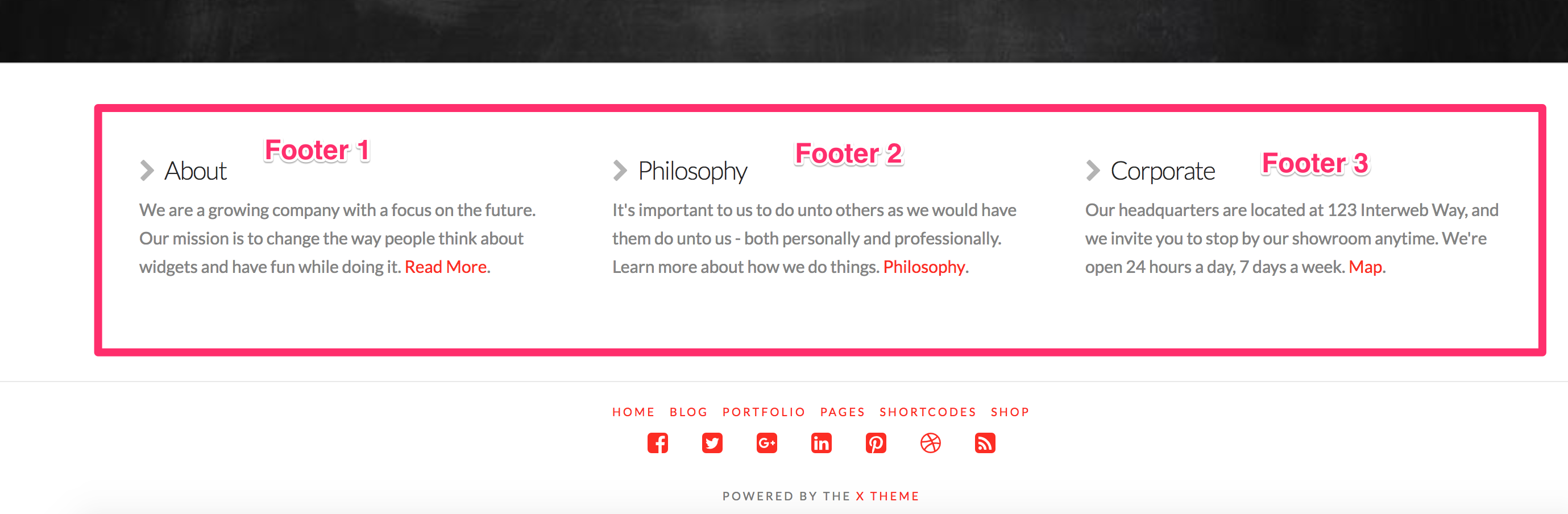
It should be the same in your screenshot, you can add them on the Footer 1, 2, 3, 4. It has four columns, a widget you added to specific number will be displayed on the column.

Or perhaps, you’re expecting a different design? Please provide a screenshot and details of what you’re trying to achieve.

Thanks!

@Rad

I’m trying to figure out how to display the Footer Widget in the bottom of all the pages. The information is in the “Text” boxes in the Footer Widget. I used the footer widget for my previous layout and I don’t know how to make it display on this particular theme. A Footer Menu would not work because they are disclaimers and private policies and I’m not trying to direct to a new page, I’m wanting the info all at the bottom.

Hello Logan,

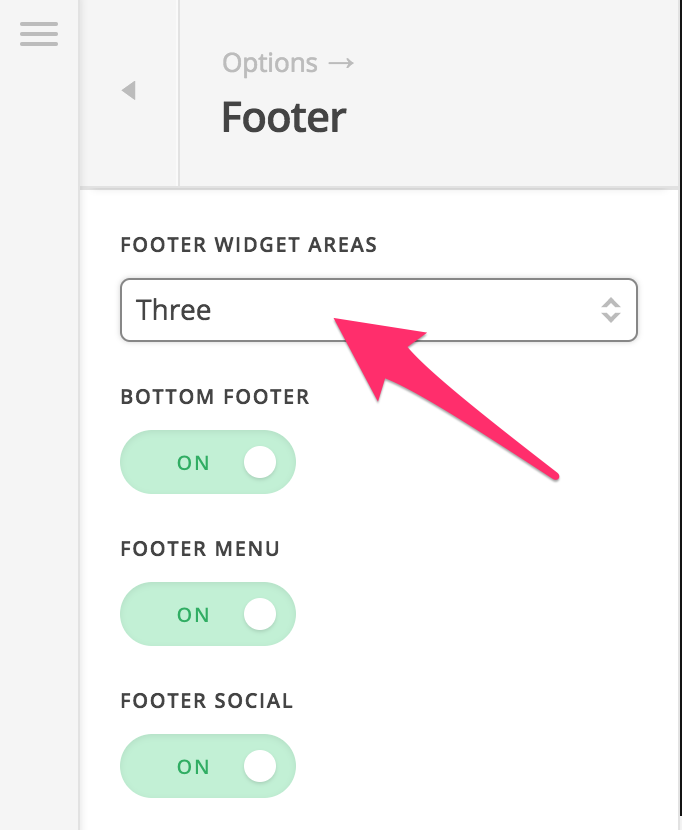
Your option would be to go to X > Theme Options > Footer Widgets then set the number of columns to how many widget columns you want on the footer area.

Once you have that option enabled, whatever widgets you placed in the Footer Area widgets in Appearance > Widgets, will be displayed above the footer area just link what you will see in the Integrity 1 demo.

Hope this helps.

This topic was automatically closed 10 days after the last reply. New replies are no longer allowed.