I’m modifying a demo site, Integrity > Lawyer, and I cannot figure out how to get rid of the logo and the space it occupies. It appears on every page, like a template of some kind, but I’ve found nothing and nowhere to do it!
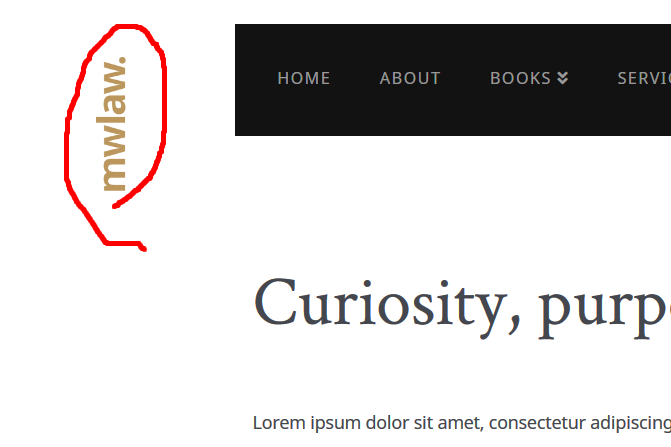
I’m modifying a demo site, Integrity > Lawyer, and I cannot figure out how to get rid of the logo and the space it occupies. It appears on every page, like a template of some kind, but I’ve found nothing and nowhere to do it!
Hello Brock,
Thanks for writing in!
To remove the logo, please go to X > Theme Options > Custom CSS and remove this custom css:

/*
// (min-width: 1340px)
// -------------------
// 01. Background logo positioning for very large screens.
// 02. Dimensions should match logo used in Theme Options. Original logo
//     is 214x48 but halved for retina display support.
// 03. Logo is rotated and then translate value should be adjusted to suit.
*/

@media (min-width: 1441px) { /* 01 */
  .site:before,
  .site:after {
    content: "";
    display: block;
    position: absolute;
    background-image: url(http://x.support/wp-content/uploads/2020/02/logo.png);
    background-repeat: no-repeat;
    background-size: cover;
    width: 107px; /* 02 */
    height: 24px; /* 02 */
  }

  .site:before {
    top: 0;
    transform: rotate(-90deg) translate(-87%, 0); /* 03 */
  }

  .site:after {
    bottom: 6em;
    transform: rotate(-90deg) translate(36%, 0); /* 03 */
  }
}
We would love to know if this has worked for you. Thank you.
This topic was automatically closed 10 days after the last reply. New replies are no longer allowed.