Hi @prakash_s
It is great news !!
I will ask the hosting provider to increase it to 512M.
Thanks for your help
Regards
Alejandro
Hello @prakash_s
I am very sorry but I am confusing myself because I know that you can do it at your end but my hosting provider increased my PHP UPLOAD MEMORY to 512 Mb but unfortunate, I have the same problem “Ajax Error parsererror”
I apologize to you for my daring for this but maybe if you could add the portfolio list, I can edit them from here…
If it would be possible, Could you add them for me to both Classes and Blog Pages?
For your better understanding, please see the pictures


Thanks for your help and sorry for my daring again.
Alejandro
Hi Alejandro,
There might be several reasons behind the issue Ajax Error parser error, I would recommend you troubleshoot a few common issues on this.
1.Theme Related Issue
2.Plugin Conflict
3.CSS/JS Customization
4.Disabling Cache
Please let us know how it works after activating any default theme like TwentyTwenty.
If you discover that an issue is coming from a custom code or 3rd party plugin, kindly consult with a developer or contact the plugin author. Please note that we do not provide support for custom codes and 3rd party plugins.
if none of the above helps, please copy your live site to a staging server so we could troubleshoot freely without breaking your live site.
And give us access in the secure note including:
– WordPress Site URL & Login URL
– WordPress Admin username/password
To create a secure note, click the key icon underneath any of your posts.

Alternatively, you can try The Grid plugin for similar purposes too.
Thanks
Hi @tristup
Please do not worry, I appreciate a lot your help.
Unfortunately, I tried all what you told me above and the problem is not fixed yet.
Now, I am going to send an email to contact to plugin author to try to fix it.
Finally and you told me that I try alternatively The Grid plugin to do what I need but I got this answer from you before:
“Regretfully the Grid plugin does not allow you to create a custom grid that you can manually add an image and a link to each of the grid items”,
For that reason, Could you confirm me if could create a custom grid and manually add an image and a link to each of the grid items by The Grid plugin?
Thanks for your support
Regards
Alejandro
Hello Alejandro,
I have created a Portfolio grid for you with the help of The Grid plugin and set on the Blog and Class page Please have a look at it.
To do that I have followed these steps.
-
Go to The Grid plugin —> Create New Grid
-
Enter the name of the grid.
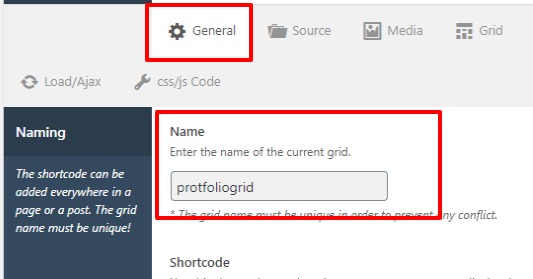
-
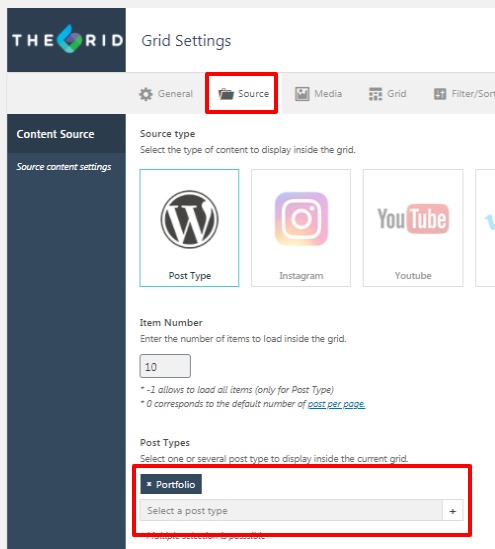
Select post type as Portfolio form source
-
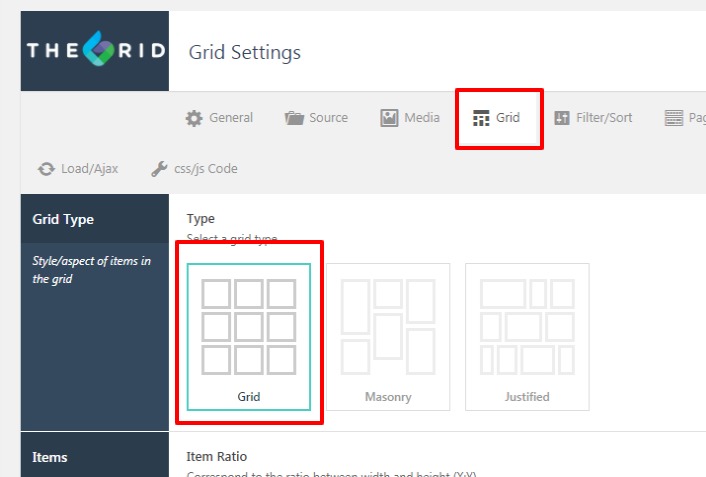
Set the layout from here
-
Now set the skin from here as per your design
-
Set the Grid on the page
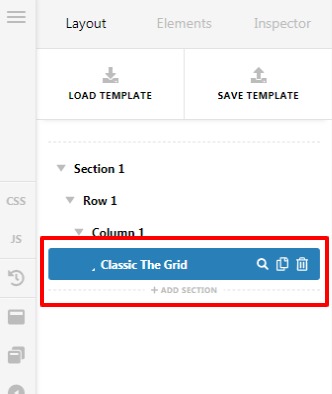

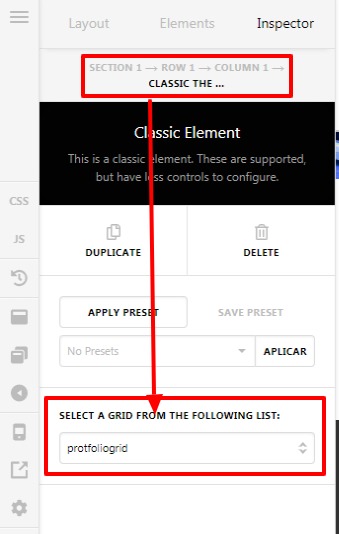
Please let us know how it goes
Thanks
Hi @prakash_s
You are my idol 
I saw them very well !!!
Now, I am going to learn how to edit it.
Thank youuuuu very much for your help !!!
Cheers
Alejandro
This topic was automatically closed 10 days after the last reply. New replies are no longer allowed.