How to put background image above an over lapping section

In my top section I have added a background image layer.

But the background image is being partially covered up by the section below.

I need to change it so that the background image is visible “on top” of the other section.

I have tried playing with the z-index but it doesn’t seems to work.

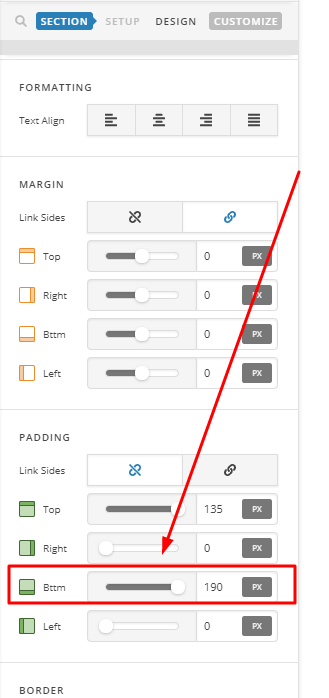
Here’s a pic:

Hi,

You can try this

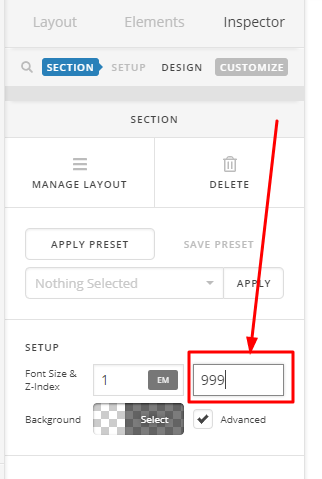
  1. Set z-index of your first section to 999

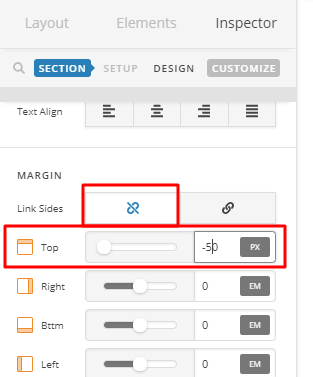
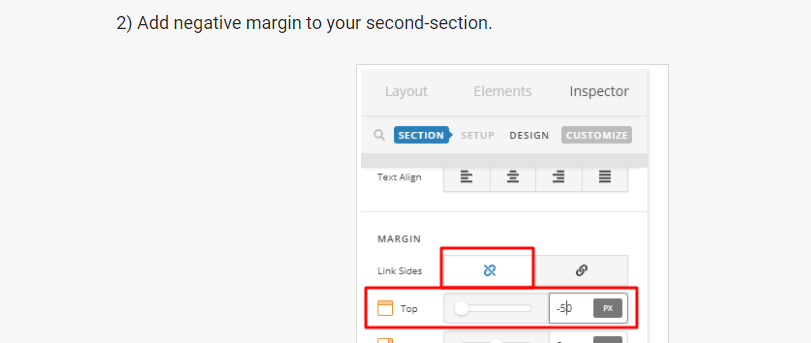
  1. Add negative margin to your second-section.

This is how it will look like.

Hope that helps

It’s a good start but it still cuts off the background.

Hi,

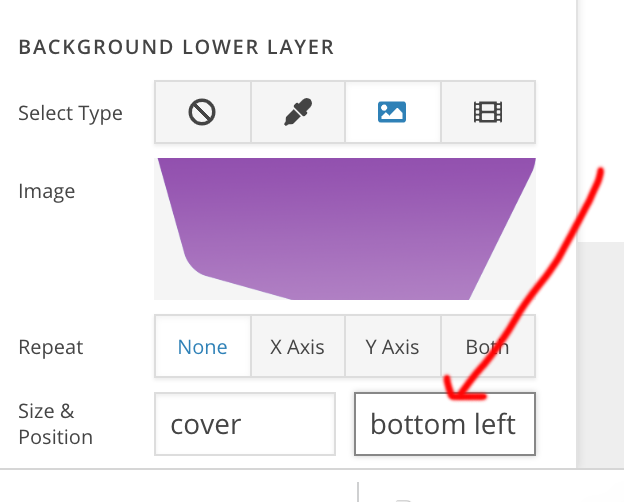
You can try adding the background position bottom left.

It would fix your issue.

Thanks

This does not fix the issue. It just moves the background to another position so that it no longer touches the bottom section. Moving it like this changes the layout of my design and is not a viable solution.

I need the background to stay in its current position, but I need it to sit “on top” of the section below.

The z-index should work to do this, but it seems broken because it does not move the background image “on top” of the section below.

Hi,

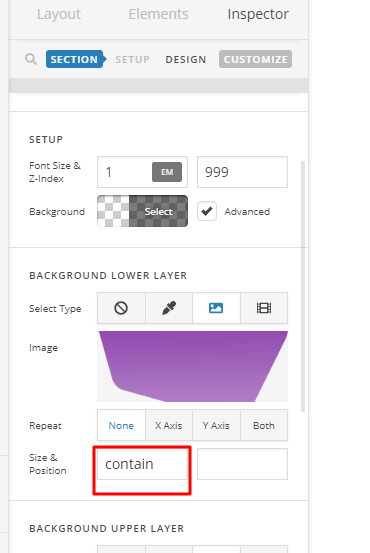
Try to set background size to contain

Then adjust padding bottom of your section.

Hope that helps.

But again, this just moves the section below lower.

I need the background image it to sit on top of the section below.

I think maybe I havent’t explained it clearly?

Do you understand what I am trying to achieve here?

Hi,

Your explanation is clear, I just assumed you have already added a negative margin as I have instructed above.

I went ahead and added it.

This is how it looks now

Please check in your end.

Thanks

Perfect!

Thanks you :smiley:

You’re more than welcome, glad we could help.

Cheers!

This topic was automatically closed 10 days after the last reply. New replies are no longer allowed.