How to pick background image instead of background color

Hey guys,

I previously used your previous version, I guess it’s a lot of new staff in 6.0.0.

Previously I was able to pick a background type for the section like here:
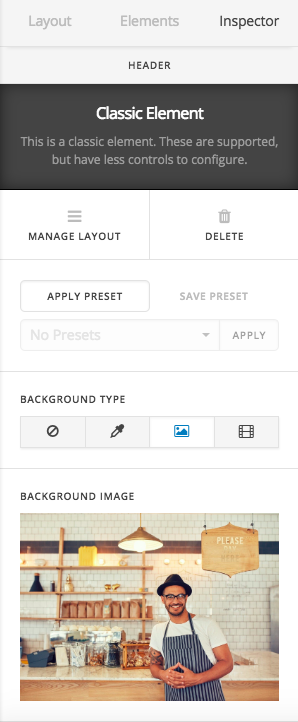
Now, building new website I don’t see such an option. Background COLOR only but not image:
can’t attach screenshot because new users can attach 1 screenshot only lol

So, how can I add a background image for the section now?

Hi Chris,

The new version of the X introduced a Simple/Advanced mode feature which the default for X is a simple mode that hides some of the controls. You will need to switch to the advanced mode to see all the options.

Please read the changelog for more information.

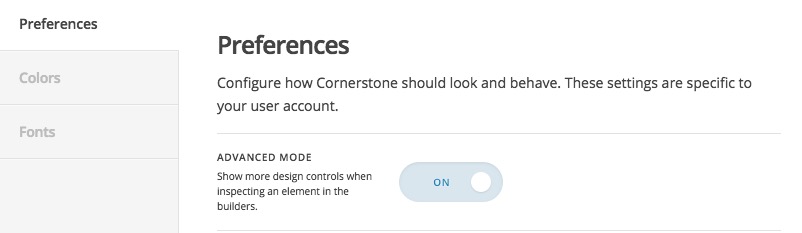
Long story short, please go to X > Theme Options > Settings icon at the bottom left section and enable the Advanced Mode in the Preferences tab:

Thank you.

Thanks for your help!

You’re more than welcome, glad we could help.

Cheers!

This topic was automatically closed 10 days after the last reply. New replies are no longer allowed.