Hi,
I would like to know how to make the newsletter page appear in my footer menu and not in the navbar menu. How could I do it?
Thanks,
Marina.
Hi,
I would like to know how to make the newsletter page appear in my footer menu and not in the navbar menu. How could I do it?
Thanks,
Marina.
Hello Marina,
Thanks for writing in!
If you wish to display Newsletter menu only in footer navigation then you will have to create two different navigation system, one with Newsletter and one without.
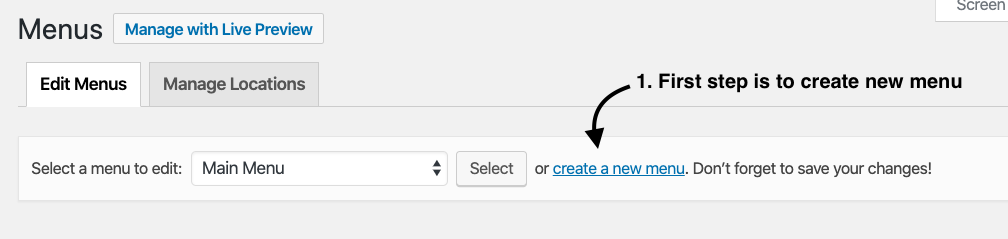
You need to create one more navigation from Appearance > Menus (create a new menu) that won’t have Newsletter.
After menu has been created, you need to add the necessary pages. Make sure not to add Newsletter page.
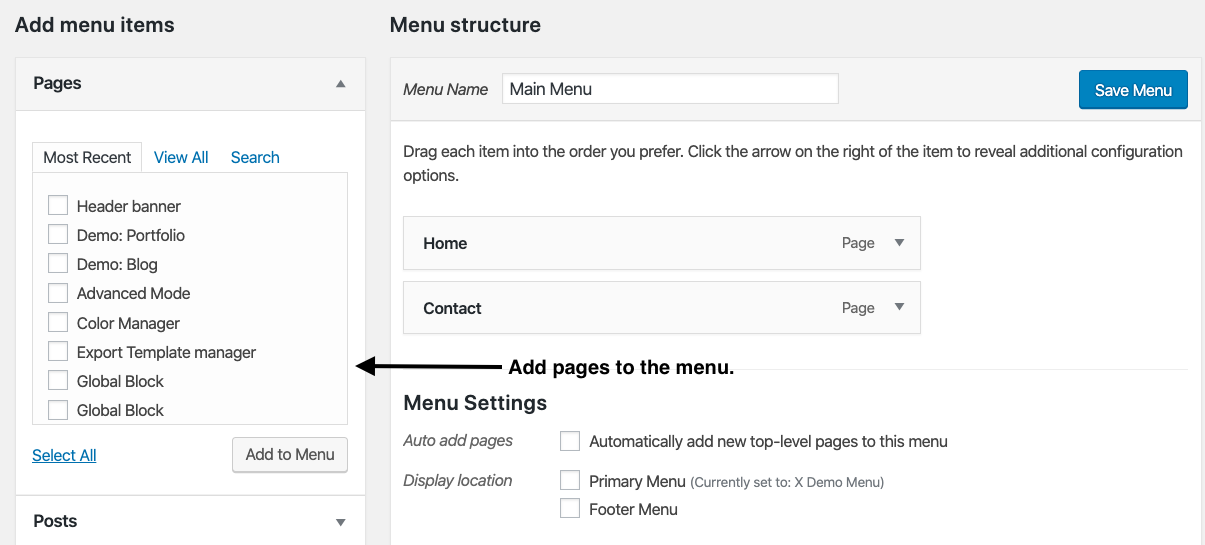
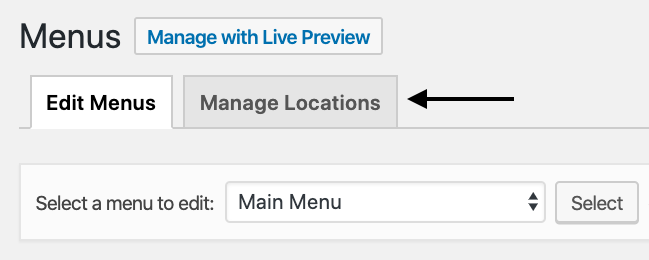
When you are done with adding pages, click on Manage Locations tab.
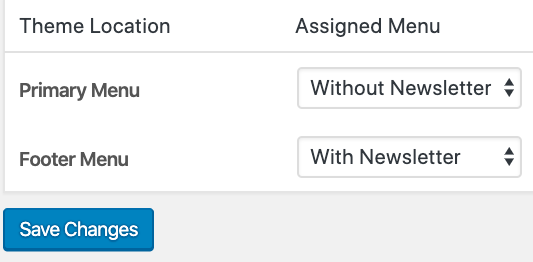
In the Primary menu, select the navigation that you just created which does not contain Newsletter. In Footer menu, select the Navigation that has Newsletter menu.
Thanks.
This topic was automatically closed 10 days after the last reply. New replies are no longer allowed.