Hi there,
I am working on: http://leliangirard.staging.wpengine.com/
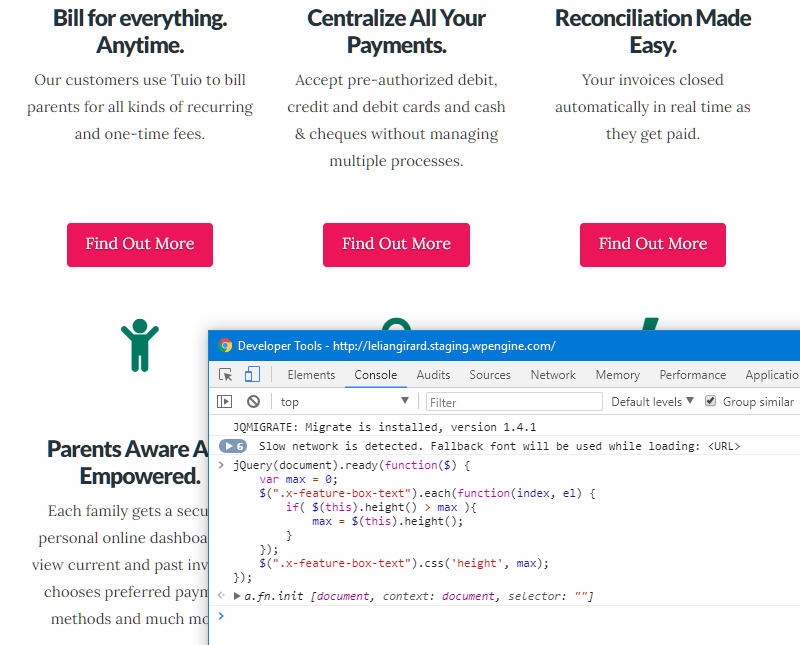
And below the HERO I have these 6 features boxes. For each of them, a ‘Find out more’ button.
I thought I figured how to make sure that the buttons line up for different screen sizes, using some gaps and showing/hiding them based on the device used, but I just saw the site opened on a laptop today and some of them were off (not aligned horizontally).
Other than writing exactly the same amount of text so that buttons are aligned at all time, is there a way to format this in some way?
Thanks