How to make Classic Feature Box Headlines CLICKABLE? I have read through the “similar topics” but regrettably have not been able to figure them out yet.
Hey Karin,
Making the non-link parts of an element clickable would require Javascript which is not a good thing because if there would be Javascript conflict, headlines will not work anymore unless the conflict is solved. This will also require you to learn Javascript because though we can show you some code here, giving of custom code including fixing and enhancing it is beyond the scope of our support. We assume that by working with code, the user himself/herself have the knowledge to use and modify it according to his/her needs. Please see our Terms.
If you’re still interested with the Javascript hack, I’ll show you later but before that, I would strongly recommend recreating the Featured Box element with V2 elements. V2 elements accept HTML so you can turn texts inside it into a link.
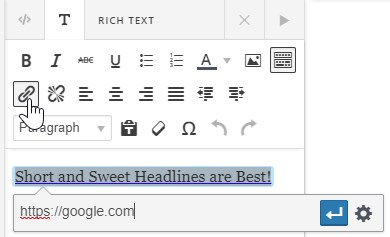
Below is a demo video of recreating the Featured Box with V2 elements.
If you want everything to be clickable, you can also recreate it with a V2 Button element.
Below is the code usage instruction.
Thanks.
Okay, Thanks. 
Code usage video demo is now uploaded in the previous reply. Just note that we do not support issues resulting from customization and any code enhancements.
Thanks.
1 Like
This topic was automatically closed 10 days after the last reply. New replies are no longer allowed.