How to increase page title size?

How should I increase the font size of a page title, i.e. “HOME” on a transparent page?

  1. I tried the following proposed code from another post, but it had no effect:
    h1.entry-title {
    font-size: 400%;
    }
    }

I also tried this recommended code:
.entry-title{
font-size:10px;
}

  1. Is there also way to give this same Page Title a small black or white background (like a button might have) to improve contrast between the background and the Page Title?
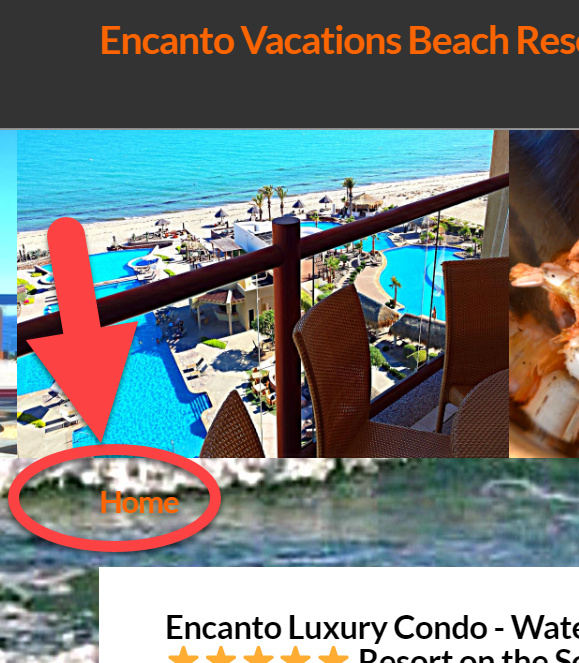
    The webpage is EncantoVacationsLLC.com
Hi Loren,

The admin details you have provided doesn’t seem to work.

Please try this code:

.h-landmark.entry-title span {
    font-size: 300%;
}

Please update the previous code to:

.h-landmark.entry-title span {
    font-size: 300%;
    display: inline-block;
    background: #fff;
    padding: 10px 15px;
}

If the codes suggested does not work, please copy all the codes that are in the Global CSS and paste it here to check for CSS errors.

It should provide some information if there are any CSS error that is causing the issue that you have to fix so that the CSS codes will work.

Hope this helps.

Unfortunately that did not work.

Other suggestions please.

Access provided.

Problem Fixed. Works now. I has an extra } that did not belong in the CSS code on line 60.
Thank you.

We are delighted to assist you with this.

Cheers!

This topic was automatically closed 10 days after the last reply. New replies are no longer allowed.