How to include 'no container | header, footer' in page template

Hi,

How can I include the ‘no container | header, footer’ when saving a page as template? Now when I save a page to template and then proceed to make a blank page and load said template it loads the content but not the ‘no container | header, footer’ in page template settings. I have to adjust that through the pages settings.
Hi @yingfuli,

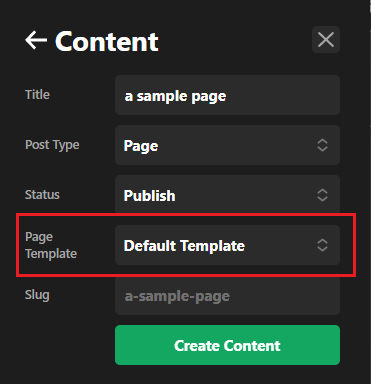
Thank you for reaching out to us. When you save a page as a template, it only saves the page content and not the (WordPress) page general settings, you need to manually select the Page Template while creating a new page:

image

Thanks!

This topic was automatically closed 10 days after the last reply. New replies are no longer allowed.