Hi
First of all, i want to thank you again for your amazing product. I recently started using wordpress and ive only worked with a couple of themes, but i can say that after trying X ive found it has everything i need and if not thre is always a way tru your support.
I have a quick question i want to address with you. Im using the “Agency” demo as starter and i want to implement something that i dont know how to.
Looking at your other demos http://demo.theme.co/app/ and i want to implement something similar as the second section of the home page, tha part that says connect that has “meet konnect” on the left side and the image on the right.
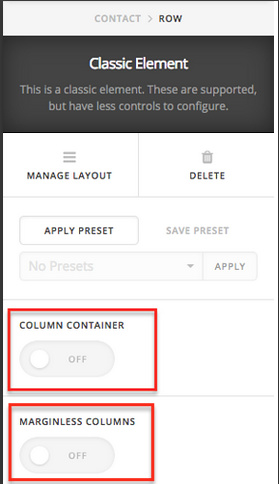
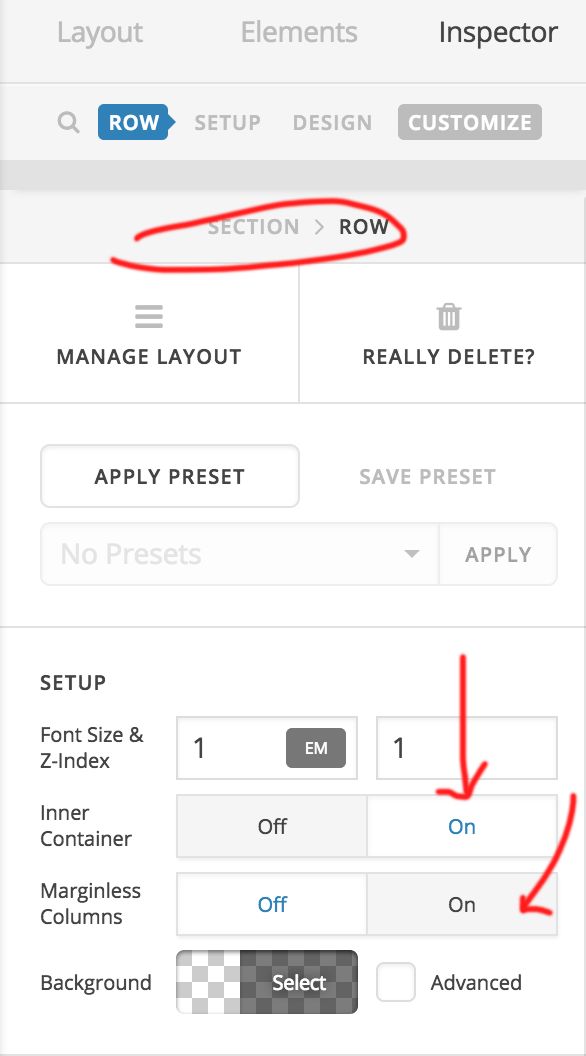
When i try to add a section on cornerstone and i had two columns i have some spaces around and background image wont place on the bottom right corner.

I want to have the app image i want to incluide on the bottom right corner of the section)
Anyways, let me know if the question was clear or i need to rephrase