How to have 2 columns in a row have 50% Screen estate

Make two columns 50% of the screen with each having completely reaching till the end completely!

I want half the screen to be green and the other half as the content that I want to put in. So the current issue that I face is that I have this white border around the the 2-column row.
Hey @Parthbhalerao,

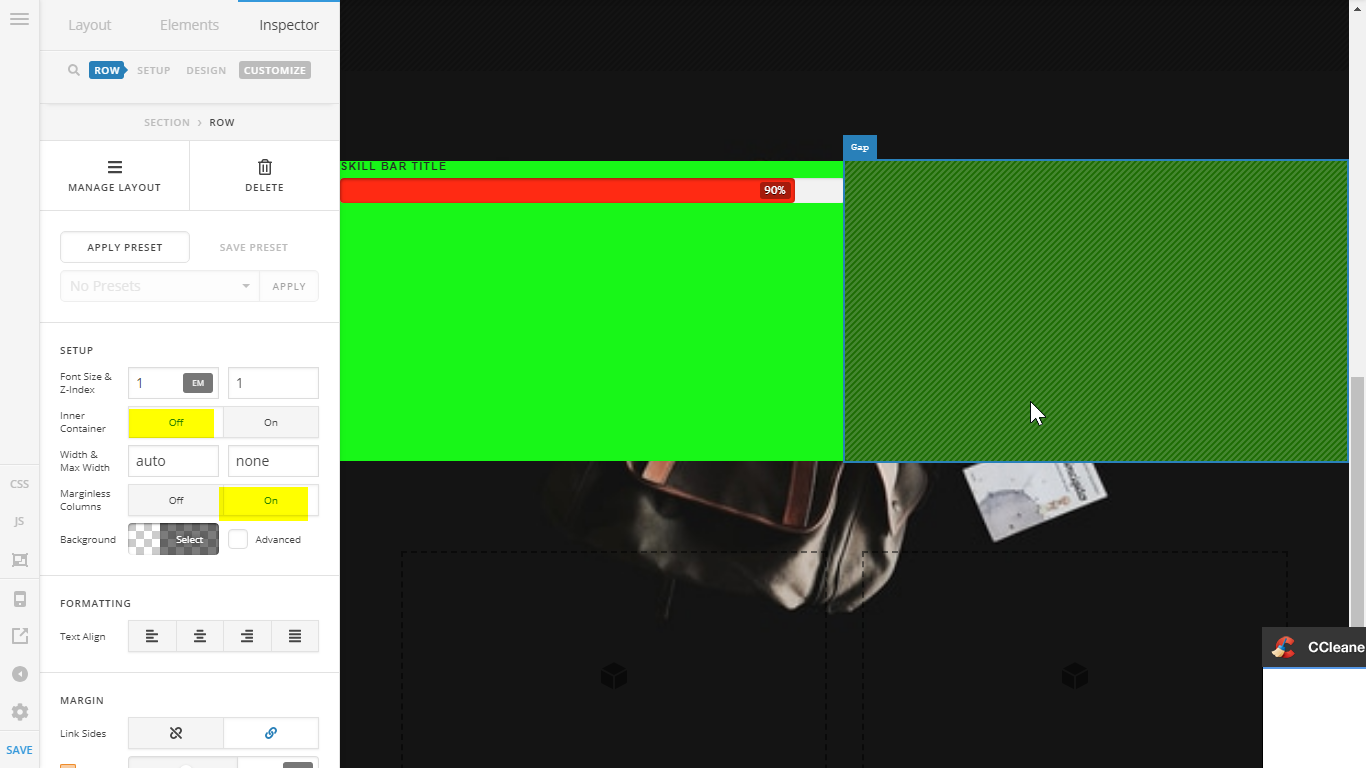
The Row’s Inner Container must be disabled to make the columns span fullwidth and the Marginless Column is enabled to make the columns stick to each other or technically, remove the column side margin.

Hope that helps.

Hey, it totally worked, Thank you so much.

Is there a way to make it exactly 50% of the screen with background color too? Thank you!

Hey There,

If you disabled The Row's Inner Container and enabled the Marginless Column option, your columns should be 50% width.

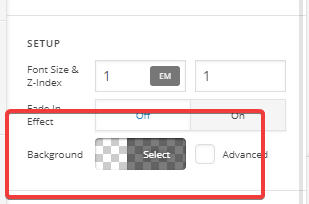
Did you mean to change the background color? It’s under Setup > Background:

Hope it helps.

This topic was automatically closed 10 days after the last reply. New replies are no longer allowed.