How to get log an sections in one line, left justified

Hi there!
I am using Pro and I have problems to get the sections in one line with the logo.
When I use wordpress editor and not change to edit with pro, all my sections are in one line with the logo.
But when I start to work with pro editor, my logo is much more at the left end of the page then all my sections.

What can I do?
My website is still under construction, let me know if you need login data.

Thank you very much for your help!
Yours Kerstin

Hello Kerstin,

Thanks for writing in!

Are you using Pro editor in creating your Post Contents? If that is the case, please edit your posts back in Pro Editor and you must disable the “Inner Column” option which can be found in the row settings.

Please let us know how it goes.

Hi RueNel,

OMG so easy and it looks so much better! Thank you so much, this makes me happy :slight_smile:
May I ask what this is for or when do I use inner Column?

Yours Kerstin

Hey Kerstin,

The Inner Container option contains or restricts the width of the content to the value you’ve set in Theme Options > Layout and Design > Site Max Width. This is usually used for a centered content design while the background spans the fullwidth of the screen.

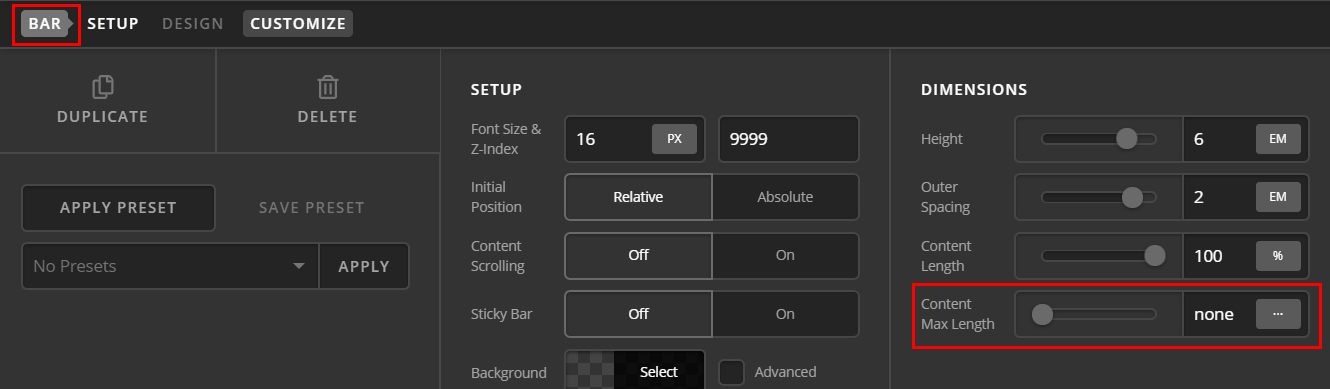
If you’re using a Pro Header Builder built header, the header content spans near fullwidth of the screen by default because there is no Content Max Width.

You can set the Content Max Width of the Bar the same as the Site Max Width so you can use the Inner Container option so that the Bar’s Content and the Page Content will align.

Hope that helps.

This topic was automatically closed 10 days after the last reply. New replies are no longer allowed.