Hi, how can I add the blocs and other content to the shop page?
I need to add WooCommerce categories as blocks.
Hi Vladica,
Thank you for reaching out to us. The Shop page is dynamically generated by WooCommerce. You cannot edit this using the Cornerstone or even the default WordPress. Best way here is to create a new page for shop and use WooCommerce shortcodes to display the products. You can customize this page as you like.
You can find more information about woocommerce shortcode from there documentation http://docs.woothemes.com/document/shortcodes/ and http://docs.woothemes.com/document/woocommerce-shortcodes/
Hope this helps!
Thanks,
I am building a new page but I am strugling with Cornerstone.
I added the full width section and 3 columns but when I click on a row I can’t add any content except the background image.
Ho do I add the content to a column?
Hi Vladica,
You’ll have to click the element tab from this area
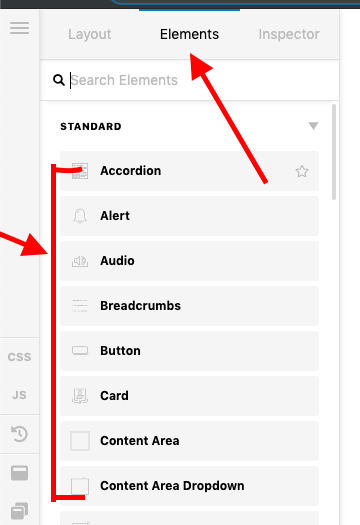
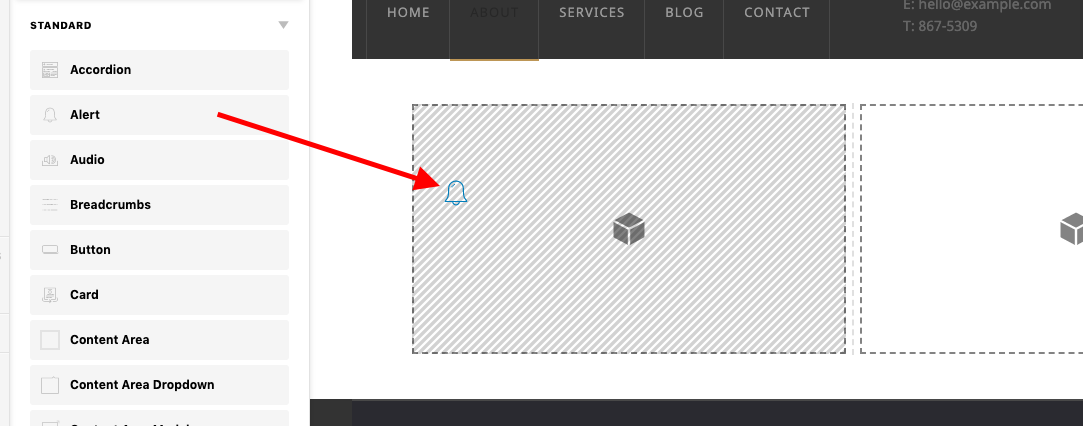
Then drag and drop the elements to your target column.
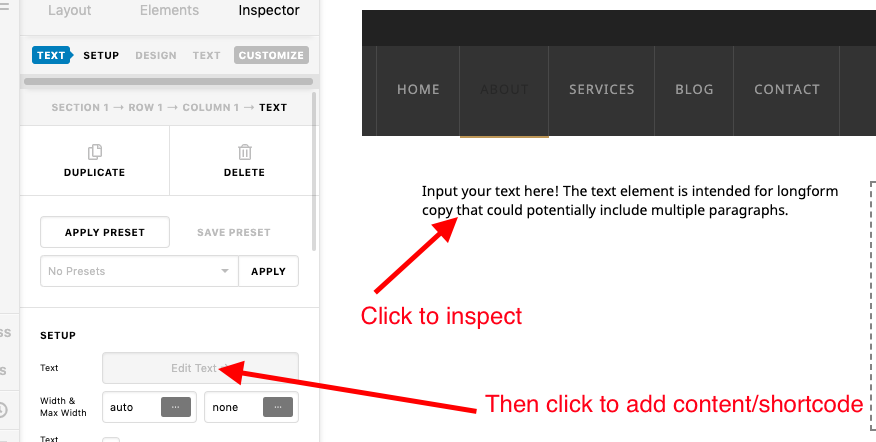
If you plan to add a shortcode, then please add text element or content area element, then add your shortcode there
Hope this helps.
This topic was automatically closed 10 days after the last reply. New replies are no longer allowed.