How to edit post size and design

Hello there,

I’m struggling to find the options to format my posts the way I’d like them. I want all of my posts to:

  • display at full width (like the rest of my website)

  • have a dark background

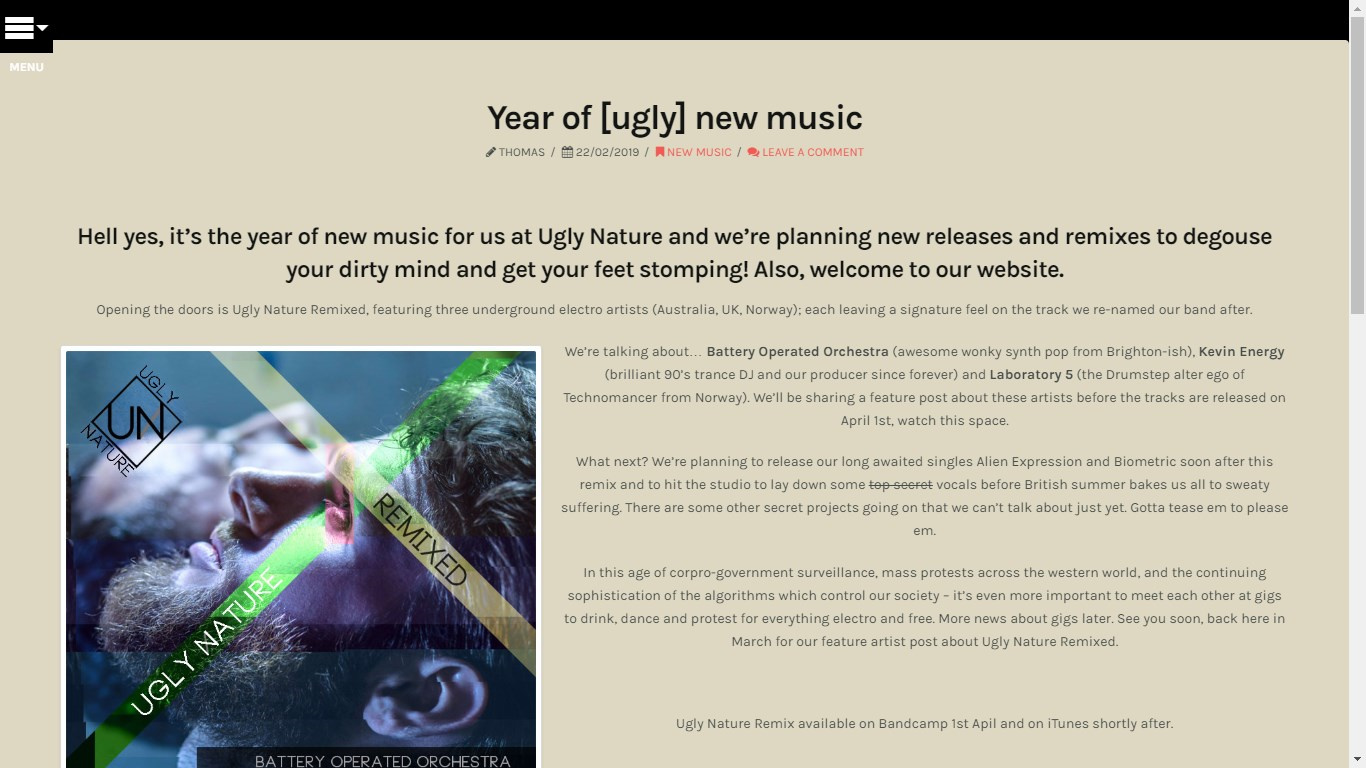
For example: https://uglynature.com/news/year-of-ugly-new-music/

Please advise me which settings I can use to edit the width that posts view at and to adjust the global design settings for colour etc.

Thank you!
Hey Thomas,

I’m sorry but I’m currently not 100% sure of what it is that you’d like to accomplish.

In the example page you posted (https://uglynature.com/news/year-of-ugly-new-music/), you want to make your single post fullwidth or make the sides of the article touch the screen like in this screenshot?

And, you want to change the light brown background color of the post to a darker color?

If that is not what you mean, please clarify or provide more details.

Thanks.

This topic was automatically closed 10 days after the last reply. New replies are no longer allowed.