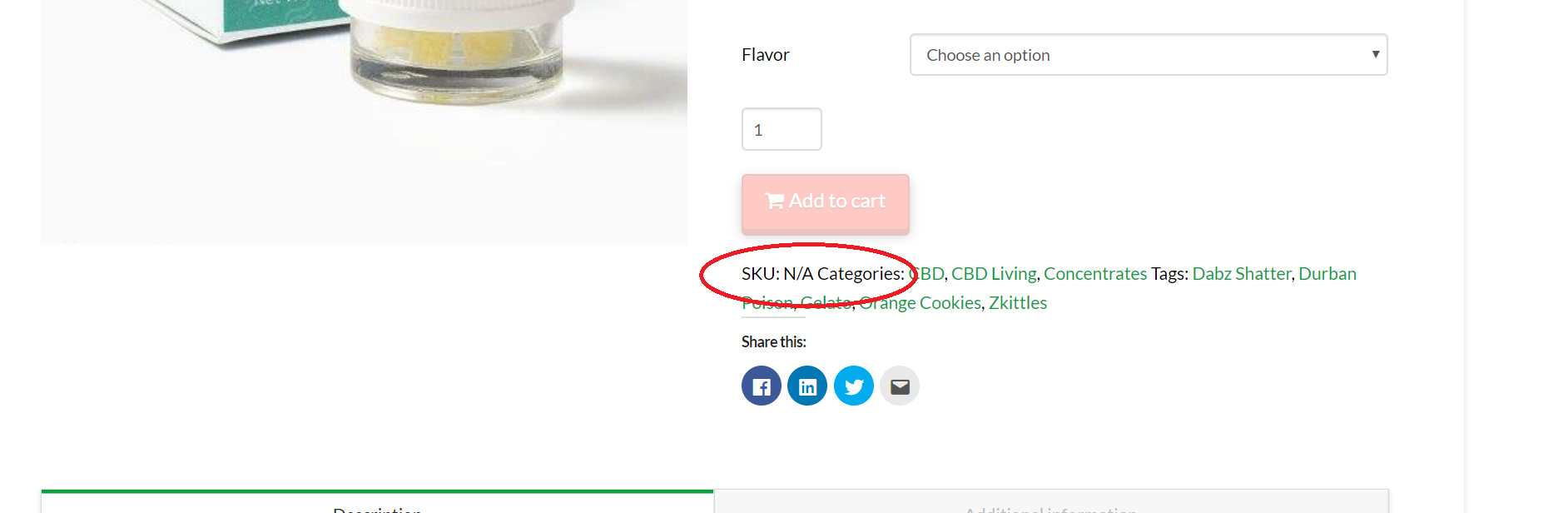
How to disable woocommerce "SKU: N/A Categories" line?

So every woocommerce product has the tags and categories listed at the bottom of the product description, which is fine & I want to keep them there.

But at the beginning it says: “SKU” N/A Categories"

And then lists all of the categories & tags

Is there a way to disable the “N/A Categories” word/tag but keep all of the actual categories & tags?
Hey John,

Since you don’t have an SKU, WooCommerce outputs N/A. The Categories are different. To remove the SKU, you can try following this article: https://www.skyverge.com/blog/how-to-hide-sku-woocommerce-product-pages/

Alternatively, you can add this CSS in Theme Options > CSS to hide the SKU.

.sku_wrapper {
    display: none;
}

Hope that helps.

Ahh that code you provided worked great, thank you!!

You’re most welcome!

This topic was automatically closed 10 days after the last reply. New replies are no longer allowed.