Hi Ajay,
Thanks for writing in!
Making a similar column need few custom CSS.
I will guide you how to do that.
Please follow this steps.
1. Fist set a background image in the column lower layer.

2. Add a transparent black color to the upper layer.
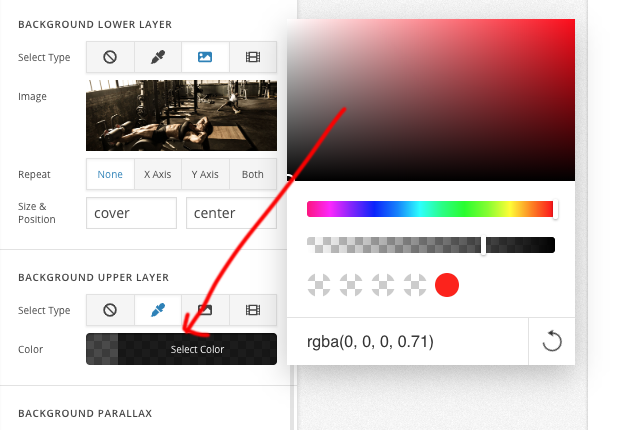
3. Add this code to The element CSS of the column.
$el .x-bg-layer-upper-color {
  max-width: 90%;
    max-height: 90%;
  left: 5%;
    bottom: 5%;
  top: 5%
}

Now your column effect will be like the screenshot you have.
You can now add your content to the column, I believe you can manage the button style and all via cornerstone editor.
Hope this helps!


