How to create "true" (revslider) full screen on the header builder?

Hi,

In the header builder I try to add a revolution slider in the first tab.

But, after seeing the results in the frontend, it doesn’t look like what I want. I want the slider to fill the screen without leaving spaces (background red space) above and below the content. See images.

On Dimension tab “Height”, do not provide code:

calc(100vh - 100px)

Because that only reduces the size of the content and provides a gap.

In Desktop View

In Mobile View

Full Webite Scroll Capture

My question is. How to get full screen conten in header builder, without any gap/ spaces? (The slider fits full screen, on various devices.)

Hello @Irfan_Abdurrafi,

Thanks for writing in!

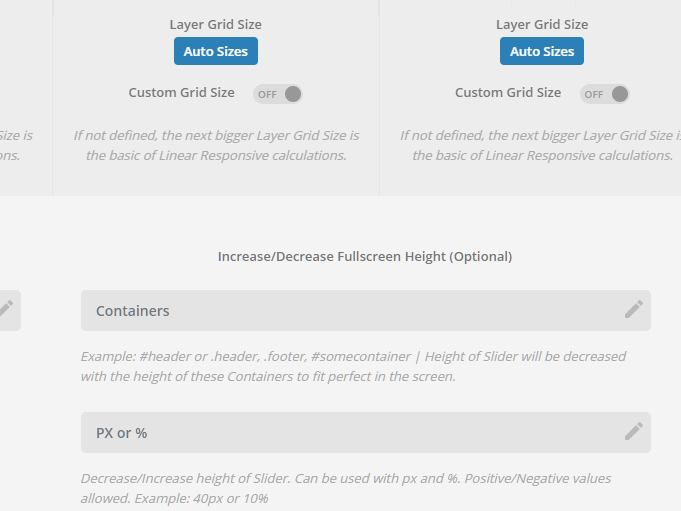
After looking meticulously, I found out what have caused the issue. It turns out that there is an offset height added to the slider of 60 pixels. I have edited your slider settings and now the spaces are gone.

Please check your site now.

Always, thanks for help.

If you’re pleased, will you tell how to do that?
For my future problem solving, i will thanks for that. :grinning:

Hey Irfan,

I’m sorry but I’m not sure what Ruenel has changed and he’s currently not available. It could be the Increase/Decrease Fullscreen Height (Optional) option. For more details about that option, please see the Advanced Layout Options at https://www.themepunch.com/revslider-doc/slider-setup/#slidelayout

Thanks.

This topic was automatically closed 10 days after the last reply. New replies are no longer allowed.