How to create a separate blog page?

Hi there,

How can I create a page specifically where blog posts will appear?

Similarly to how it is in all of your Theme X demos.
There is a main site/homepage, where all set content is on:
http://demo.theme.co/integrity-5/

And then there is a separate blog page where all of the most recent blog posts appear:
http://demo.theme.co/integrity-5/blog/

How can I create a separate blog page where my posts appear?
Thanks!

Hi There,

First, you have to create your Home & Blog pages.

http://jeypolitan.com/wp-admin/edit.php?post_type=page

After that, navigate to Settings > Reading(http://jeypolitan.com/wp-admin/options-reading.php) and set your home & blog page:

Hope it helps :slight_smile:

Hi Thai,

I have gone ahead and created a temporary home page (‘about’) and a blog page (URL: http://jeypolitan.com/wp-admin/post.php?post=940&action=edit)

I’ve also gone to settings > reading, and set my home and blog page.

The blog page still does not show my recent blog posts in the blog page. How can I change the settings so the blog page will show my blog posts?

Thanks

Hi There,

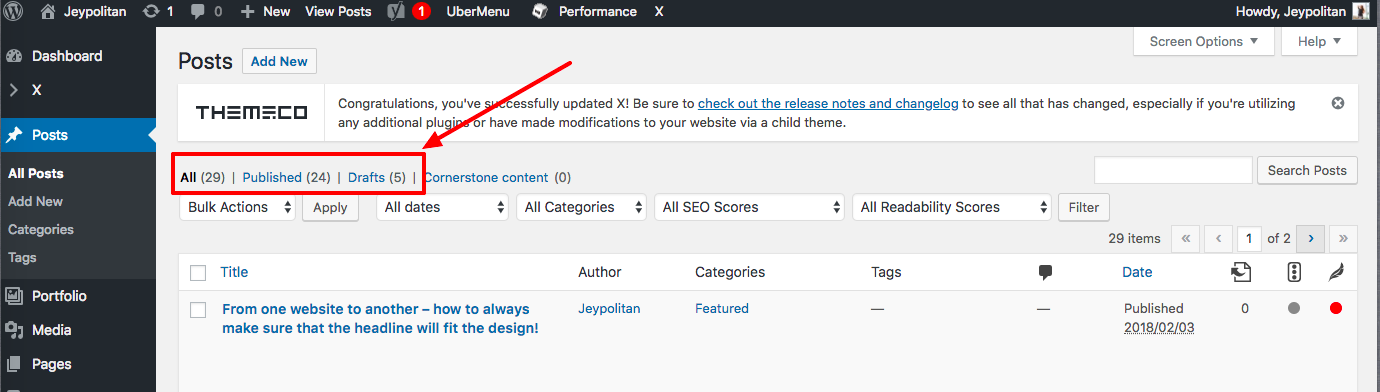
I see that you have posts created and set as draft. WordPress will only display published posts in your Blog page.

Hope that helps.

Hi @mldarshana

That’s incorrect, most of my blog posts are published. Only five are set as draft:

Following my question above,

The blog page still does not show my recent blog posts in the blog page. How can I change the settings so the blog page will show my blog posts?

Thanks

Hey There,

The posts are showing up on the blog page:

I’ve just purged all the caches. Could you please double check again?

Thank you.

This topic was automatically closed 10 days after the last reply. New replies are no longer allowed.