Hi there,
The Portfolio Page Template, turns the page to a special kind of page which gets information from that specific page template and has that filter at the top which you explained (ALL, Sub-1, Sub-2,…).
But if you want to link directly to a category you do not have that option at hand. You will need to link to the archive page of the portfolio category. The view will be different from that specific Portfolio Page Template and it will use the WordPress archive template mode.
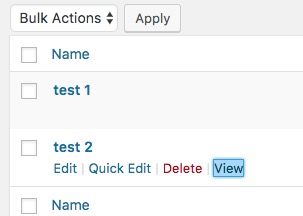
To do so, go to Portfolio > Portfolio Categories. You will see the list of your categories and there is a link called view for each category. Click on that link and you will be redirected to the correct URL structure for that specific category which you can use on your links:
If you want to change the Category Archive title at that page you will need to click on the category to go to the edit screen of it and change the name of the archive title there:

Thank you.
