Hey @cpb1g13,
Great choice with the page template. The Blank - Container | No Header No Footer will let you get closer to what you want to achieve. That application is per page. If you need a global boxed layout, you need to choose Boxed in the Theme Options > Layout and Design
For the background, if you want to change the specific page background, you will need to add the following CSS code in Cornerstone’s Content CSS.
body {
  background-color: red
}
Change red to the color value you need.
If you want to change the background color globally, you can change it in Theme Options > Layout and Design > Background Color.
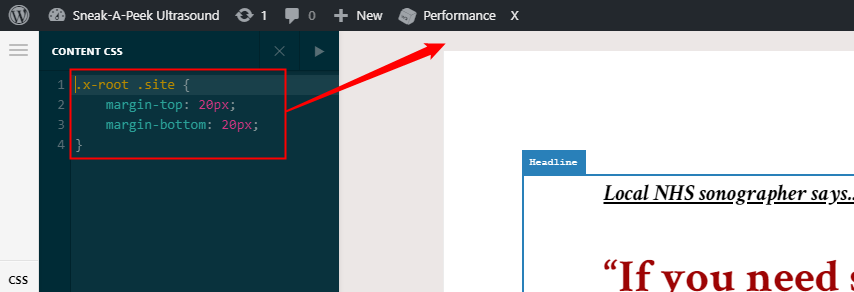
For the margin above and below the boxed content, add the following code in your Page’s Content CSS. This one is not recommended to be done globally as this doesn’t take into account the Header and Footer since you’re using a No Header No Footer page template.
.x-root .site {
    margin-top: 20px;
    margin-bottom: 20px;
}
Hope that helps.
