I wish to put the icons over the menu elements . Right now they are until them . I wish to put them centered above them ? thanks
Hi There,
Please try adding the following code under X > Theme Options > JS:
jQuery('.sfm-social').insertBefore(jQuery('.sfm-nav'));
Hope it helps 
it does not work 
Hi There,
Could you please provide us with your admin account so we can take a closer look?
Thank you.
sure here you have
Hey @Borislav.VD,
Add this code to your Global CSS.
#sfm-sidebar .sfm-menu .la_icon {
    margin-right: 0;
    display: block;
}

#sfm-sidebar .sfm-menu li a, #sfm-sidebar .sfm-menu .sfm-chapter {
    text-align: center;
    padding-left: 0 !important;
}
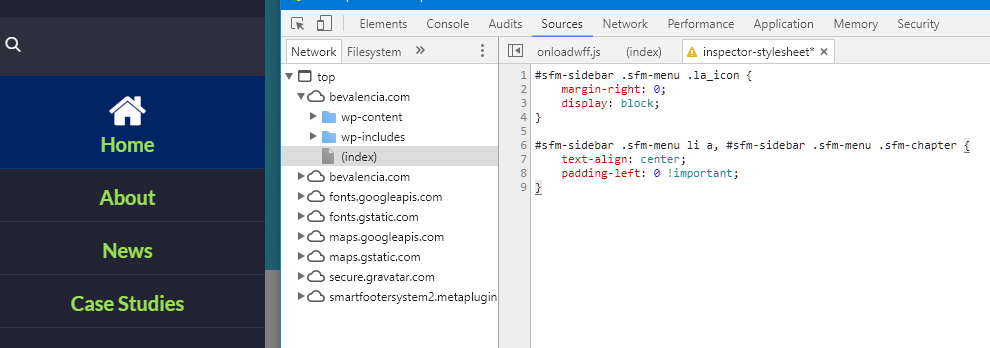
Hope that helps.
Unfortunately does not work . I wish to put the social icons that right now appear under the menu above the menu .thanks ( not the icons of the proper menu ) ) May be i have caused this misunderstooding sorry for that
Hi there,
Hmm, I’m not sure if I understand it correctly. There are multiple menus and icons, would you mind providing a mockup design of how it should be?
Thanks!
Sure here you have. I have selected the social icons and i wish to put them in the another selected area above the menu elements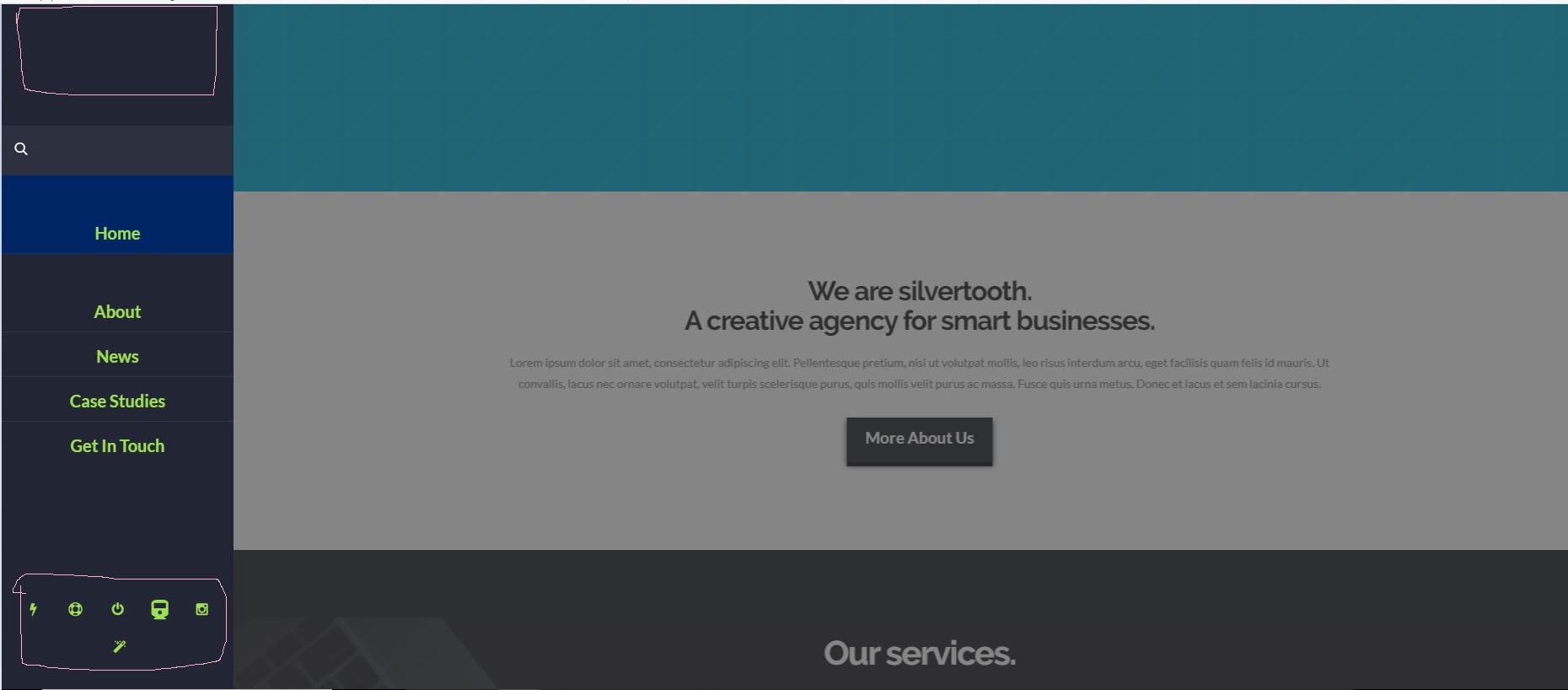
Hi there,
Please try this code in the Global CSS:
#sfm-sidebar .sfm-social {
    bottom: auto;
    top: 165px;
}

#sfm-sidebar .sfm-va-middle {
    vertical-align: bottom;
}
Hope this helps.
it works but looks broken on desktops and on smartphones there is a not natural height . How could be possible to close this space you can see it at live what i mean
Hi Borislav.VD,
I’m pretty sure that replacing the previous code snippet with only this one:
#sfm-sidebar .sfm-social {
    bottom: auto;
    top: 15vh;
}
should work as you want, could you please give it a try?
Thanks.
Hi,
Upon checking, I can see the code is not working. Kindly change it to this.
#sfm-sidebar .sfm-social {
    bottom: auto;
    top: 15vh !important;
}
You may change 15vh to adjust the position of your social icons.
vh means relative to 1% of the height of the viewport*
For more information regarding vh kindly refer to the link below.
Thanks
Ok but there is a bug . You can try to resize the window of the browser and in that case the icons are going into the menu elements ( home,about,etc) . How could be this bug solved thanks
Hey @Borislav.VD,
Sorry for the confusion in my previous post. The code @thai gave actually will move the social icons on top of the navigation. The only problem is, Superfly detects mobile and desktop user agents and the JS code will work only for mobile because Superfly adds this class sfm-compact to its container on mobile and with that class, the social icons stays in place. But, that class also affects/conflicts with the custom CSS my colleagues provided. On desktop and without that class, there’s CSS that makes the social icons stay at the bottom. With that said, I found that it is not recommended to customize this part of Superfly as it is quite complex. Sure you could solve this with additional CSS but this would be getting into custom development which is outside the scope of our support. The last tip that I can give is you would need to modify the elements that the class sfm-compact affects.
To clarify things, this is not a bug. We can only put a bug label if an official feature of a theme and plugins does not work. In this case, Superfly does not have an option to move the social icons on top of the navigation. That is its intended design.
Fixing issues that arise from the use of custom code even taken from the forum and providing enhancements are outside the scope of our support. We tried to go above and beyond this situation but I found that this is going beyond a simple tweak.
I hope you’ll understand.
Thanks.
This topic was automatically closed 10 days after the last reply. New replies are no longer allowed.