I want to change the font of 1 text element to SHADOWS INTO LIGHT which is a google font and part of the X package.
What is the correct CSS to do so?
I want to change the font of 1 text element to SHADOWS INTO LIGHT which is a google font and part of the X package.
What is the correct CSS to do so?
Hi,
You can add this in your style field.
font-family: 'Shadows Into Light', cursive;
Hope that helps
How does one do this in Pro?
Hi Adam,
Since it’s a google font, you can follow this without CSS.
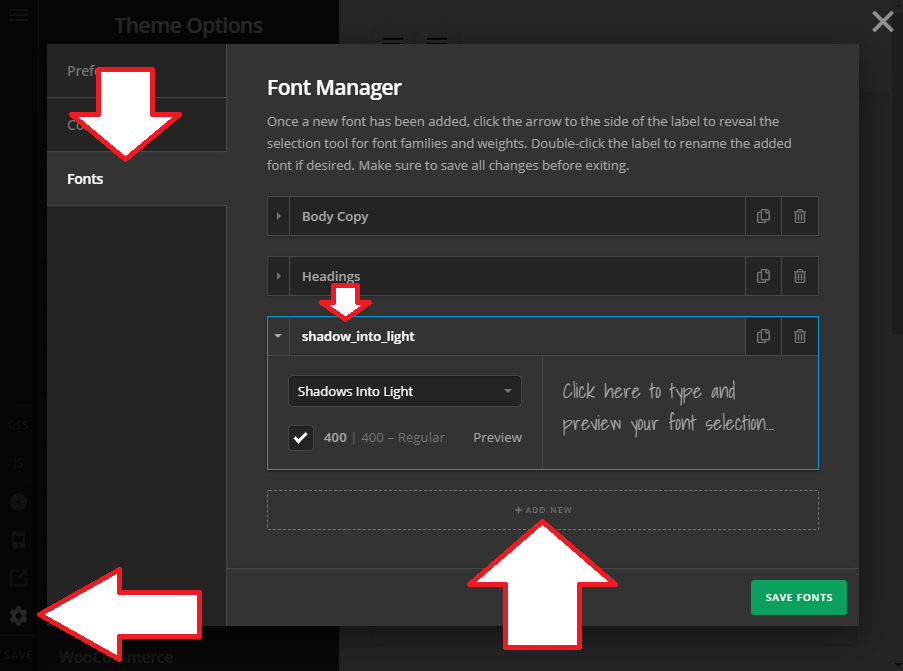
First, go to Theme Options and click cog (gear) icon and go to font section.
Once you’re there, add new font and name it whatever you prefer, example, shadow_into_light
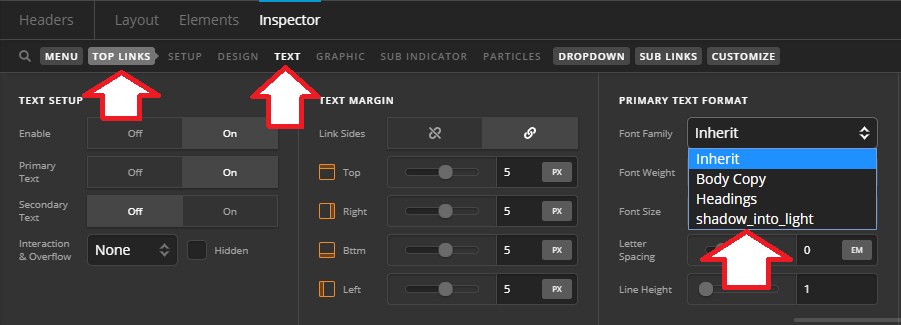
Most of elements have text format settings that you can change.
Hope this helps.