How to Change Blog Titles in the Blog Roll Page? How to Remove Embedded Ad from Pages?

Hello,
This attached image is captured from my blog roll page, on my website, armablade.com. It uses cornerstone.
I want to do several things:

  1. Increase the title size of the blogs that appear on that blogs page.
  2. Increase the text size of the snipets under the featured images of each post.
  3. Remove that ad from the side.
    Please help. I have tried everything, and I have also been searching your forum, but to no avail.
    The Image attached explains everything.
Hi Svetozar,

Thanks for writing in!

Please find my answer below.

1. To increase the font size of the headings in blogroll page, please add this CSS to your Theme option -> CSS
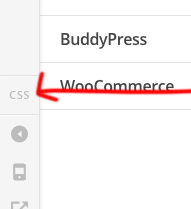
To access theme options CSS, please go to Dashboard -> X -> Theme option in left sidebar please click on the CSS icon. then paste the CSS over there.

body.blog .entry-title {
font-size: 120% !important;
}

You can change the value for further adjustment.

2. To increase the font of the snippets please add this CSS in the same place as in point number 1.

body.blog .entry-content.excerpt p {
font-size: 1.3em;
}

You can change the value too.

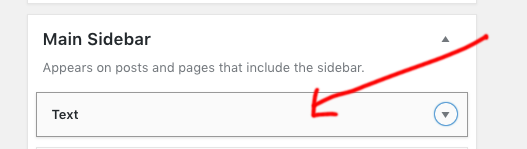
  1. To remove the ad please go to appearance -> widgets from the main sidebar please remove the text widgets.

Hope this helps!
Thanks

In Theme Options --> CSS … is this where the css for all pages goes?
Is the css shared? Or, how do I add css for a particular page / post / or only for the homescreen ?
Also, I ask this, partly because my demo-blog page, where my posts are lists, does not appear in the Theme Options.

Another question: I see that when I add the code for increasing title size, it actually shrinks. I mention that the individual posts are edited with Thrive Theme plugin, not with cornerstone.

Hi There,

This custom CSS under Theme Options > CSS is for all the pages. It still works for your blog page as well.

The provided custom CSS is for blog page only, to make it work for the single post, please update the previous CSS to this:

.entry-title {
    font-size: 120% !important;
}

Regards!

This topic was automatically closed 10 days after the last reply. New replies are no longer allowed.