How to build a square/box with frame

Hello,

I want to create a square with text in it. This square should have a border/frame. This seems like an easy task, but I can´t find an element that fits and has all the options that Iam looking for. The text should also be able to be changed in bold or regular. I don´t need a picture in it, so “feature box” doesn´t work perfectly. With which element am I able to build this box?

Kind regards,
Anna

Hi Anna,

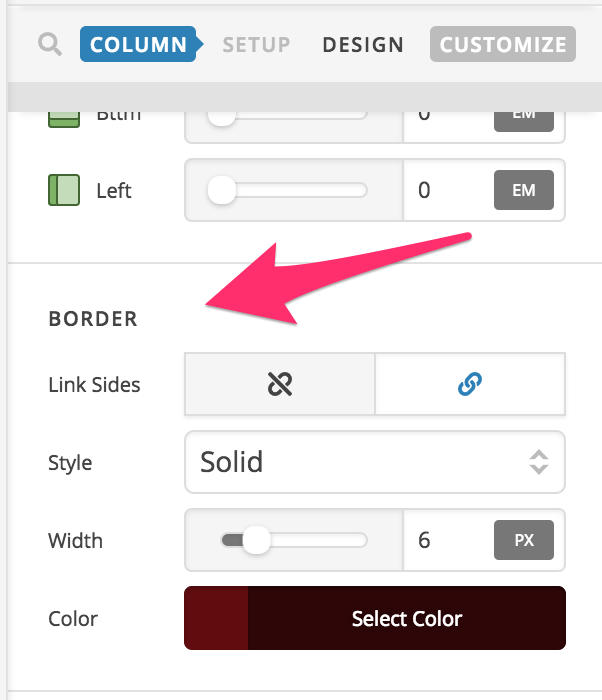
You can just use column settings to be able to add a border around the content then place a text element to the column.

To make the column appear square, you can adjust the padding in the column settings.

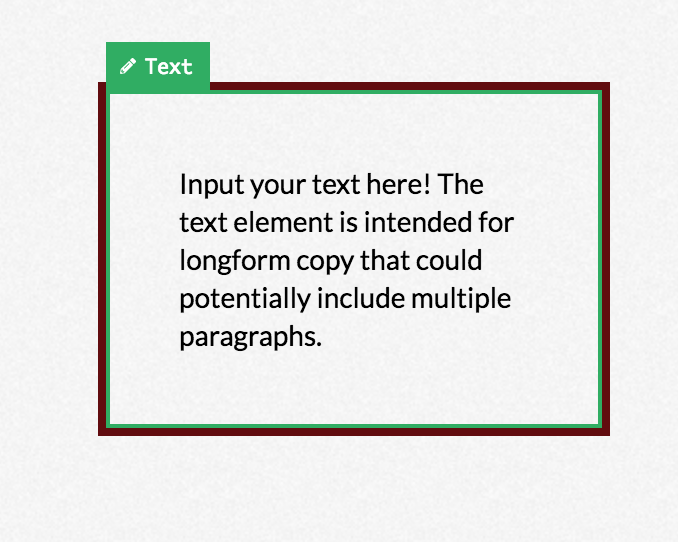
Then the result should be something like this:

Hope this helps.

This topic was automatically closed 10 days after the last reply. New replies are no longer allowed.