I wish to allow a floating widget,area with the selected products that would be seen when person selects the basket icon fromt he menu , how could be this done? thanks
Hi There,
Thanks for writing in!
You can do this using cart off canvas element.
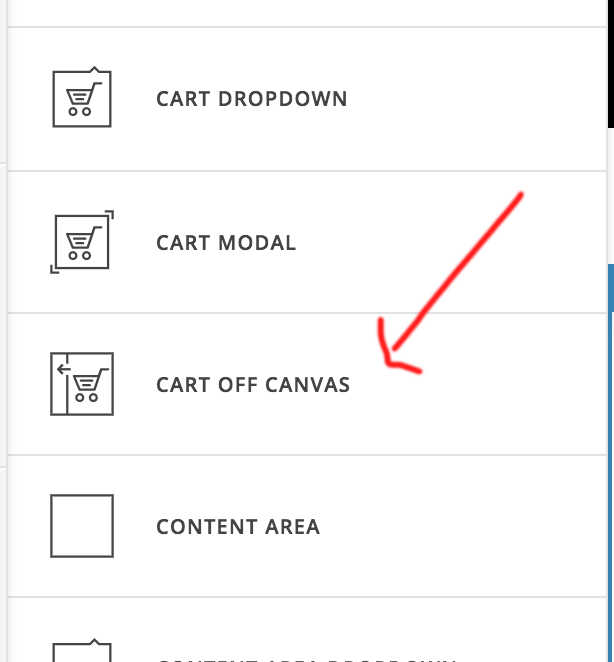
If you want to add the cart icon in menu bar, that will need the custom code as you are using X theme. I would suggest you to check our other theme called Pro which has the more flexible feature to build custom design header and footer.
Hope this helps!
Thanks
where is that option in the cornerstone ? I am using visual composer with the X theme , could be done using visual composer ? At this moment i am not interested in the PRO version thanks. Where i could see a demo of how could be possible to look the result of using it ?thanks
Hi there,
The card off canvas is only available on Pro and in X’s Cornerstone. It could be possible with custom development, but this would be outside the scope of support we can offer. You may wish to consult a developer to assist you with this. X is quite extensible with child themes, so there are plenty of possibilities.
You could see an example of the Cart Off Canvas element of the header builder here:
https://xthemehero.com/how-do-you-x-auto-open-off-canvas-cart/
Thanks for understanding. Take care!
i have this option in the X theme cornerstone by the way …is that normal?
Hi there,
Apologies for the confusion. I meant to say that the element is available for Cornerstone and Pro but not with visual composer.
It would be preferable to use this element in the header as this will add a button that will open an off canvas element that contains the cart info.
ok @Jade ade and which is the shortcode that appears right now in the menu i mean it has appeared automatically installing the woocommerce ? How could be possible to hide this info , shortcode ,deleting it or just hiding it thankks
Hi @Borislav.VD,
Would you mind clarifying what shortcode what added in the menu?
Kindly send the URL of your site so that we can check it.
Thank you.
Ah please check in X > Theme Options > Woocommerce and disable the Navbar Menu option.
Hope this helps.
This topic was automatically closed 10 days after the last reply. New replies are no longer allowed.