I have my slide and category assigned to my slide, but am not sure on how to add a background image to it.
Hi There,
Please add feature image to your post it will come automatically.
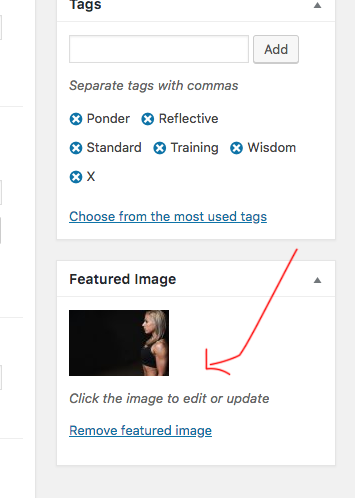
Thanks
Wow, thank you, basanta, I was able to figure it out. Last question [ for now lol ]. How can I customize my navbar to have lines through it like this 
Hi Devin,
Please add the CSS code below tp X > Theme Options > CSS:
.x-navbar .desktop .x-nav>li {
    border-right: 1px solid rgba(0,0,0,0.085);
}

.x-navbar .desktop .x-nav>li:last-child {
    border-right: none;
}
1- I have found the proper CSS code selector using the Chrome browser Developer Toolbar:
2- For the CSS code itself, I suggest that you get started with this tutorial:
Kindly open up new threads for additional questions as it will help us to focus on each issue and give you a better support which you deserve. Having a long thread makes the maintaining job harder and also it will be harder for the other customers to find the correct information if they have similar issues. You are always welcomed to reply to this thread to follow up the same question.
Thank you.
That did it. Thank you, Christopher.
You’re welcome 
This topic was automatically closed 10 days after the last reply. New replies are no longer allowed.