How to add extra information to logo-bar?

Hi there,

I’m trying to add some extra information to the logo-bar. I’ve only found threads about that prior to 5.0 which is not very helpful since the files and the places where to find them changed quite a bit. I’m trying to achieve the following:
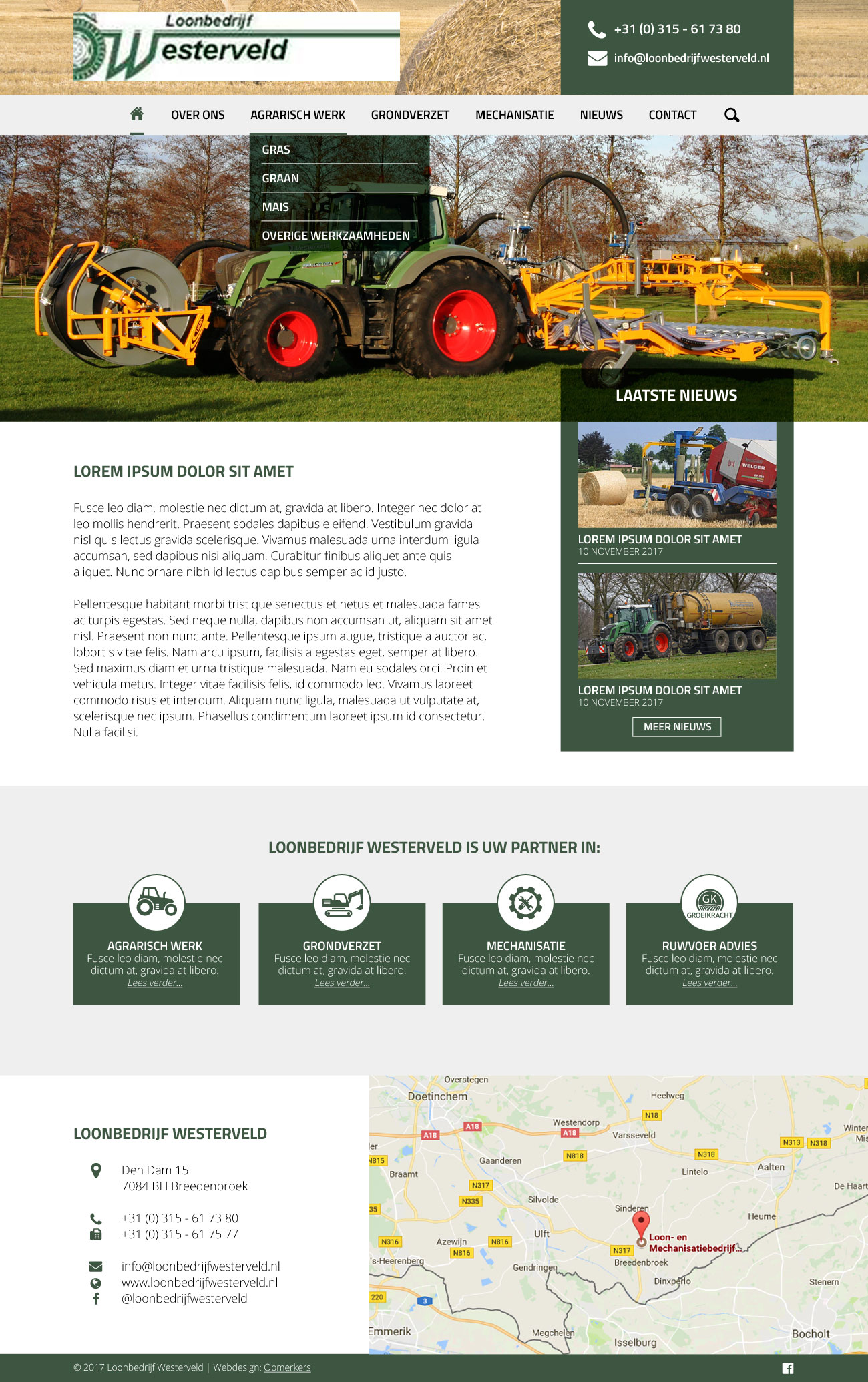
Basically I want the logo on the right side of the bar and a box with some extra information (phonenumber and email) on the right. I just don’t seem to get what file I need to alter.

Thanks for your help!

Best regards,

Delana

PS: I’m using Integrity stack and the regular version of X theme (not PRO). Everything is updated to the last versions.

Hello Delana,

Thanks for asking. :slight_smile:

If you want to add more information parallel to the logo section then you need to edit _navbar.php under /wp-content/themes/x/framework/legacy/cranium/headers/views/global/. Then you need to add the relevent code after line number 20 that started with <?php x_get_view( 'global', '_brand' ); ?>

You can also turn on Topbar from X > Launch > Options > Header > Miscellaneous > Topbar to display social icons and Contact information.

Thanks.

This topic was automatically closed 10 days after the last reply. New replies are no longer allowed.