Hello David,
Thanks for posting in!
1.) First, go to Posts > Add New. Create your blog post items.
2.) Go to Pages > Add New, and create a new page entitled “Blog”
3.) Go to Settings > Reading > Your Homepage Displays and set the “Blog” as your posts page
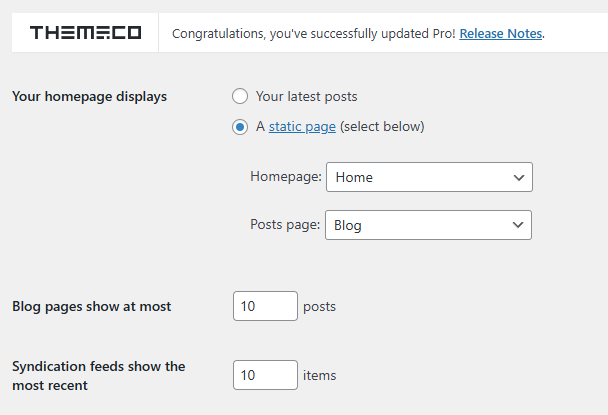
4.) Go to Settings > Permalinks and hit save to update your permalink settings.
If this is not helping, we would be happy to double check your site if we can log in. You can create a secure note in your next reply with the following info:
– Link to your site
– WP login URL
– WP username
– WP password
– WP Administrator Role
– Confirmation that we can access and make changes to your site
To know how to create a secure note, please check this out: How The Forum Works

Best Regards.
